
Loading buyer guide
Hurry, don't miss savings on selected furniture & more.* Shop all offers
Higher resolution is only one part of a good security camera. Before choosing a 4K or high-resolution model, look at how it records at night, how much storage it needs, whether it suits your power setup and what accessories may be required.
Use our barcode scanner to match products instantly to find the best prices, find products with ease using our voice search and build wish lists and your favourites at the click of a button.
TP-Link Tapo vs Eufy security cameras: storage, specs and value
Tapo looks especially strong when you want low-cost indoor coverage or a specific spec such as pan-and-tilt or 4K solar, while Eufy can make sense if its storage approach and add-on camera format fit equipment you already own.
Ring vs Google nest security cameras: which ecosystem suits your home?
Ring and Google Nest are often compared by shoppers who already own smart speakers, displays or doorbells. The better choice is usually the one that fits your existing home setup, gives you the camera style you need and keeps ongoing costs predictable.
Security camera brands compared: Ring, Eufy, Reolink, Tapo and Blink
Ring, Eufy, Reolink, Tapo and Blink all sit in the same broad Surveillance Cameras market, but they are not interchangeable buys. The right choice depends on whether you value a doorbell-led setup, battery convenience, higher-resolution outdoor coverage, lower entry cost, local recording options or the best offer available today.
Blink vs Tapo security cameras: best for budget buyers
Blink and Tapo both appeal to shoppers who want home security without overspending, but they suit different buying habits. Blink is often attractive if you want simple wire-free cameras and an Amazon-connected setup, while Tapo is especially strong when you are comparing low-cost indoor cameras, mains-powered options and models with flexible storage choices.
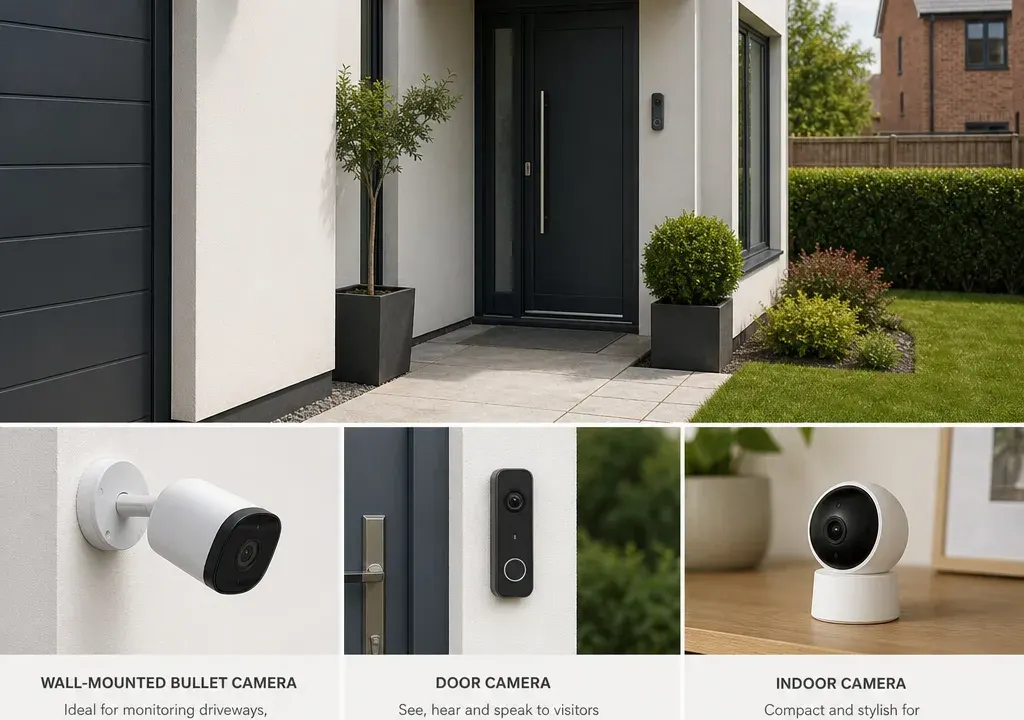
A 4K security camera sounds like the obvious choice if you want clearer footage, but resolution alone should not decide your purchase. A camera with a wide field of view, reliable night recording and sensible storage can be more useful than a higher-resolution model that is awkward to power or expensive to run.
When comparing Surveillance Cameras, treat 4K and high-resolution models as part of a full setup. For example, the catalogue includes options such as the TP-Link Tapo C460 KIT 4K 8MP Solar Panel Security Camera, the IMOU Bullet 3 3K, the Ring Spotlight Cam Pro 1080p HDR Video & 3D Motion Detection, indoor Tapo models, an NVR from TP-Link VIGI, and mounting hardware from Hikvision. These examples show why it is worth comparing the camera, recorder, power method and accessories together rather than choosing on resolution alone.
4K can be useful when you want more detail from a fixed view, such as a driveway, gate, shopfront, side passage or garden entrance. The extra pixels can help when reviewing footage, especially if you need to crop into a particular part of the frame.
However, not every position needs 4K. A compact indoor camera in a hallway, utility room or pet area may not need the same level of detail as an outdoor camera facing a larger space. In the supplied catalogue, models range from high-resolution options such as a 4K 8MP Tapo kit and a 3K IMOU bullet camera to 1080p options such as the Ring Spotlight Cam Pro. That variety is useful because different locations often call for different specifications.
A good rule is to match resolution to distance and purpose. Choose higher resolution for wider outdoor scenes or when detail at a distance matters. Consider lower-resolution or simpler cameras for close-range indoor monitoring, provided the image quality and features meet your needs.
A 4K camera records more image detail than a 1080p camera, but it can also create larger video files and may require stronger network performance. A 3K model sits between the two, offering more detail than 1080p while potentially being less demanding than full 4K, depending on the product settings and compression used.
When comparing Surveillance Cameras, check whether the listed resolution applies to normal recording, live view, still images or a specific mode. Some cameras reduce quality under certain settings to save bandwidth or storage, so the headline resolution should not be the only specification you read.
If you are comparing a 4K 8MP option such as the TP-Link Tapo C460 KIT with a 3K model such as the IMOU Bullet 3 3K or a 1080p HDR camera such as the Ring Spotlight Cam Pro, think about the scene first. A narrow front door view may not need the same resolution as a broad driveway view.
High resolution can improve digital zoom because there is more image data to crop into, but it is not the same as a true optical zoom lens. Digital zoom enlarges part of the image, while optical zoom uses the lens to bring the subject closer before recording.
If zoom is important, check the product listing for the type of zoom supported, how it works in the app or recorder, and whether it can be used on recorded footage as well as live view. Do not assume that every 4K camera will deliver crisp close-ups at long distance.
For most home users, careful placement matters as much as zoom. Positioning a camera closer to the area you care about, such as a gate latch, parked car or front path, often produces more useful footage than relying on zoom from too far away.
Field of view determines how much of the scene the camera captures. A wide view can cover more of a garden, driveway or room, but objects can appear smaller. A narrower view may miss the edges of a scene, but it can make the area of interest easier to see.
When comparing high-resolution Surveillance Cameras, look for the stated horizontal or diagonal field of view where available. A 4K camera with a very wide view may still need careful placement if you want detail in one specific area. Conversely, a lower-resolution camera with a well-chosen angle may be enough for a small indoor space.
If you are covering several zones, it may be better to use more than one camera rather than expecting one wide-angle model to do everything. For example, one outdoor camera could face the driveway while another covers a side gate, with indoor models used only where close-range monitoring is needed.
Higher-resolution recording generally means more storage use, although exact file sizes depend on compression, frame rate, recording length and motion settings. Before choosing 4K, check how footage is stored and how easy it is to review, export or overwrite old recordings.
Common storage options include microSD cards, cloud plans, network video recorders and network storage. The supplied product set includes the TP-Link VIGI NVR1008H, which is a recorder rather than a camera, reminding shoppers that a multi-camera setup may need recording hardware as well as the cameras themselves.
If you plan to record continuously, storage capacity matters more than if you only record motion events. For a high-resolution multi-camera system, compare the cost of cameras, compatible recorders, memory cards, hard drives and any subscription elements before deciding what offers the best value.
Many security events happen in low light, so night vision deserves as much attention as daytime sharpness. Look for the type of night recording offered, such as infrared night vision, colour night vision, spotlight-assisted recording or HDR support, where these features are stated by the retailer or manufacturer.
A 4K camera will not automatically give better night footage than a lower-resolution model. Sensor quality, lighting, exposure handling and placement all affect the result. A bright streetlight, reflective wall or nearby window can change how usable the footage is.
For outdoor positions, think about whether the camera needs a built-in spotlight or whether existing lighting is enough. The Ring Spotlight Cam Pro title, for example, indicates a spotlight-style camera with 1080p HDR video, while a 4K solar camera suggests a different balance of resolution and installation convenience. The right choice depends on where the camera will sit and what you need it to capture after dark.
Power type is one of the biggest practical differences between security cameras. Wired models can be a good fit where you want a more permanent installation, but they may need more planning. Battery-powered models can be easier to position, but you need to consider recharging and battery management. Solar-assisted cameras can reduce the need for manual charging where placement and light levels are suitable.
The TP-Link Tapo C460 KIT 4K 8MP Solar Panel Security Camera is an example of a high-resolution camera bundled with a solar panel, according to its product title. That sort of setup may appeal if you want outdoor placement without relying solely on mains power, but you should still check installation requirements, camera compatibility and whether the location gets enough light.
For indoor use, plug-in cameras may be simpler. Compact models such as the TP-Link Tapo C100 and Tapo C200 1-pack appear in the catalogue as more straightforward camera options, though you should confirm the exact features and resolution on the product page before comparing them with high-resolution outdoor models.
A camera deal can look attractive until you realise you need extra brackets, junction boxes, housings, memory cards, cables or recording equipment. Accessories for Surveillance Cameras are especially important for outdoor installations where neat mounting and weather-protected cable management may be part of the setup.
The catalogue includes Hikvision mounting and housing accessories as well as cameras, which is a useful reminder to compare the full basket rather than only the headline camera price. If a camera needs a specific mount, check compatibility before buying.
Also consider whether you are buying a single camera, an add-on camera, a kit or a system component. For instance, an Eufy S210 Add-On Camera may make sense for shoppers already building within a compatible setup, while an NVR is relevant for users planning a recorder-based system. The best-value offer is the one that fits your existing equipment and avoids unnecessary extras.
Large discounts can be useful signals, but they should not be the only reason to choose a camera. A reduced 1080p camera, a 3K bullet camera and a 4K solar kit may all represent good value for different users, depending on placement, storage and the features you actually need.
Compare offers by asking four questions: does the resolution suit the area, does the power type suit the installation, does the storage method suit how long you want to keep footage, and are the required accessories included or affordable? If the answer to any of those is unclear, the cheaper option may not be the better buy.
It is also worth comparing retailer availability and product condition carefully, especially where listings include kits, add-ons, recorders or accessories. Product titles can be similar, so double-check model names, pack sizes and compatibility before making a final decision.
Choose 4K if you need sharper detail over a wider outdoor scene and are prepared for potentially higher storage and network demands. Choose 3K or another high-resolution option if you want more detail than standard 1080p but do not necessarily need full 4K. Choose 1080p if the camera is covering a smaller area, the price is attractive and the feature set is more important than maximum resolution.
For a driveway or front garden, prioritise resolution, night vision, field of view and robust mounting. For a side passage, prioritise placement, lighting and motion detection zones. For indoors, prioritise compact design, privacy controls, app usability and whether pan or tilt is useful. For a multi-camera system, prioritise storage, recorder compatibility and the cost of adding more cameras later.
The strongest buying decision usually comes from comparing the whole setup: camera, power, storage, accessories and offer value. That is where a 4K model can justify itself, but only when the rest of the system supports the level of detail you are paying for.
Not always. A 4K camera can capture more detail, but a well-placed 1080p camera with suitable night vision, field of view and storage may be better for a small or close-range area. Compare the camera against the location, not just the resolution.
They often can, because higher-resolution footage usually creates larger files. Actual storage use depends on compression, recording settings, motion detection, frame rate and how long footage is kept. Check storage options before buying.
A solar-assisted camera can be useful for outdoor positions where wiring is awkward, but it depends on placement, light levels and camera compatibility. Check the installation requirements and whether the solar panel is included or optional.
Common extras can include mounts, junction boxes, housings, memory cards, cables, power adapters and recording equipment. Compare Accessories for Surveillance Cameras alongside the camera so you understand the full setup cost.
No. An NVR is a network video recorder used to store and manage footage from compatible cameras. It can be useful for multi-camera systems, but you need to check camera compatibility and storage requirements.
The best 4K security camera is not simply the one with the highest resolution. It is the one that gives you useful detail in the right place, records clearly at night, stores footage in a way that suits you and fits your power and mounting options.
Compare Surveillance Cameras by the full setup rather than the headline specification. A 4K solar kit, a 3K bullet camera, a 1080p spotlight camera, an indoor camera and an NVR can all be sensible choices in the right context. The smartest buy is the one that matches your property, your storage needs and the offers available when you are ready to purchase.
