
Loading buyer guide
Hurry, don't miss savings on selected furniture & more.* Shop all offers
Choosing between Ring and Google Nest is not just a camera-spec decision. Smart home compatibility, subscription expectations, installation style and the type of entrance or outdoor space you want to monitor all matter before you compare live offers.
Use our barcode scanner to match products instantly to find the best prices, find products with ease using our voice search and build wish lists and your favourites at the click of a button.
TP-Link Tapo vs Eufy security cameras: storage, specs and value
Tapo looks especially strong when you want low-cost indoor coverage or a specific spec such as pan-and-tilt or 4K solar, while Eufy can make sense if its storage approach and add-on camera format fit equipment you already own.
Security camera brands compared: Ring, Eufy, Reolink, Tapo and Blink
Ring, Eufy, Reolink, Tapo and Blink all sit in the same broad Surveillance Cameras market, but they are not interchangeable buys. The right choice depends on whether you value a doorbell-led setup, battery convenience, higher-resolution outdoor coverage, lower entry cost, local recording options or the best offer available today.
Blink vs Tapo security cameras: best for budget buyers
Blink and Tapo both appeal to shoppers who want home security without overspending, but they suit different buying habits. Blink is often attractive if you want simple wire-free cameras and an Amazon-connected setup, while Tapo is especially strong when you are comparing low-cost indoor cameras, mains-powered options and models with flexible storage choices.
Battery vs mains powered alarms: which should you choose?
Alarm choice is not just about the cheapest unit on the shelf. The right power type affects where it can be fitted, how often you will need to maintain it and what you may spend over the product’s listed life.
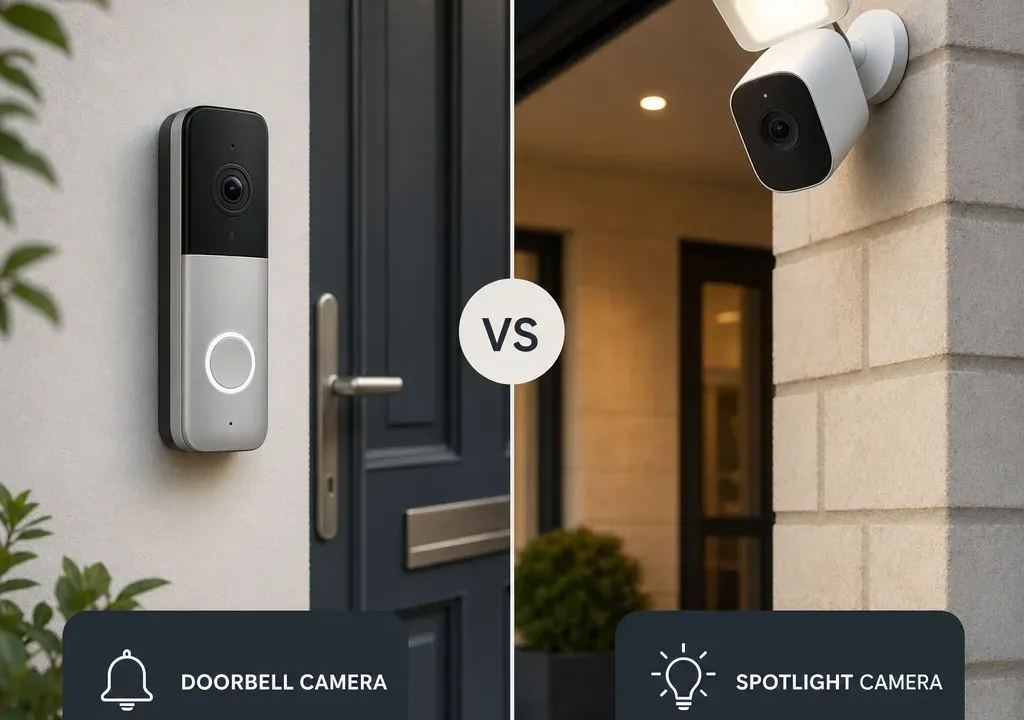
Ring and Google Nest both appeal to buyers who want Surveillance Cameras that feel simple to use day to day, rather than a complicated security system. The real question is not which brand is universally better, but which ecosystem fits the devices, routines and expectations already in your home.
If you already use Alexa-enabled speakers or have a Ring doorbell, Ring will often feel like the more natural extension. If your home is built around Google Home, Nest speakers, Nest displays or Google Assistant routines, Google Nest may make more sense. From there, compare the actual camera model, power type, recording options and live offer rather than buying on brand alone.
Choose Ring if your household already leans towards Alexa, you want a broad doorbell-and-camera style setup, or you are comparing models such as a spotlight camera for an entrance, driveway or garden-facing area. Ring can be especially appealing where you want cameras, doorbells and chimes to work together in one familiar app experience.
Choose Google Nest if you already use Google Home heavily and want your camera alerts, displays and voice controls to sit naturally alongside other Google-connected devices. For a household that uses Nest displays or Google Assistant every day, that convenience may matter more than a small difference in headline specification.
If you are starting from scratch, do not decide on brand name alone. Compare the exact model, what it includes, whether it needs a subscription for the features you care about, and whether any Accessories for Surveillance Cameras are needed for mounting, power or positioning.
The most important difference for many buyers is not the lens or the casing; it is the ecosystem. A camera that works neatly with the voice assistant, display and routines you already use is more likely to be checked, maintained and actually useful.
Ring is usually the more obvious route for an Alexa-led home. If you want camera alerts to sit alongside other Amazon-compatible smart home devices, or you already have a Ring doorbell, staying within Ring can reduce the amount of app switching and account management you need to deal with.
Google Nest is usually the more obvious route for a Google-led home. If your household already uses Google Home routines, Nest displays or Google Assistant, keeping your camera choice within that environment can make everyday use feel more joined-up.
Mixed homes need a little more care. If one person uses Alexa and another uses Google Home, decide who will manage the cameras most often. The best ecosystem is the one the main user can operate quickly when an alert comes through.
Before comparing Ring and Google Nest directly, define the job the camera needs to do. A front-door camera, a garden camera and an indoor camera are not interchangeable buying decisions.
For entrances, a video doorbell can be the neatest solution because it sits where visitors naturally arrive. In the catalogue context supplied, Ring’s Video Doorbell Pro 2 is an example of the kind of product shoppers may compare when front-door monitoring is the priority. Check whether the model suits your existing wiring or whether you need a different power setup.
For driveways, side returns and gardens, a spotlight or outdoor camera may be more suitable. The supplied Ring Spotlight Cam Pro example highlights features shoppers often look for in this area, including 1080p HDR video and 3D Motion Detection. Those are useful specification points to compare against any Google Nest alternative you are considering, but they should be weighed alongside field of view, power and storage.
For indoor use, think about privacy as much as coverage. Look for clear controls, sensible placement and the ability to avoid recording areas you do not need to monitor.
Resolution is a useful starting point, but it should not be the only comparison. A higher number on the box does not automatically mean a better camera for your home if the viewing angle, night performance, app controls or storage setup do not suit the location.
For Ring versus Google Nest, compare these points on the exact models you are considering: video resolution, HDR support, night vision type, field of view, motion detection options, two-way audio, weather suitability, power method and whether the camera is designed for indoor or outdoor use.
Motion features deserve close attention. Some models use more advanced detection wording than others, but the practical question is simple: can you tune alerts so you are not constantly notified about irrelevant movement? Over-sensitive alerts can make even a good camera frustrating.
Also check whether features are available out of the box or depend on a plan, hub, compatible display or other device. The lower upfront offer is not always the better value if you need extras to get the experience you expected.
Security camera prices move around, and discounts can make one ecosystem look far better value on a particular day. That is why it is worth comparing current Surveillance Cameras offers across multiple models rather than assuming Ring or Google Nest is always cheaper.
In the supplied catalogue data, Ring products appear among discounted camera offers, but the right conclusion is not simply “buy the biggest discount”. A reduced spotlight camera is only good value if you need spotlight coverage, have somewhere sensible to mount it and are comfortable with the app and recording setup.
When comparing Ring and Google Nest, include possible extras in your budget: mounts, spare power accessories, chimes, longer cables, subscriptions, replacement batteries where relevant, or additional cameras for blind spots. Accessories for Surveillance Cameras can be inexpensive compared with the camera itself, but they can still affect the real cost of completing the installation.
If two models are close in price, prioritise the one that fits your existing smart home platform and installation location. A slightly cheaper camera that creates app friction or needs extra accessories may not be the better buy.
Many smart security cameras offer a mix of live view, alerts, event history and additional features, but the details can vary by brand, model and plan. Before choosing Ring or Google Nest, decide how you expect to use recorded footage.
If you only want to check live alerts and see who is at the door in real time, your needs may be modest. If you want to review past events, share clips or keep a longer history, look carefully at what is included and what may require a paid plan.
Do not assume that all cameras in the same brand work identically. Compare the current product page details for the exact model, because subscription terms, included features and compatible devices can change over time. This is especially important if you are buying several cameras at once, where ongoing costs matter more.
Installation can be the difference between a camera you fit this weekend and one that sits in a box. Ring and Google Nest both include products that may suit different power and mounting situations, so check the practicalities before comparing headline features.
Wired models can be neat once installed, but may need more planning. Battery models can be easier to position, but you need to think about recharging access and how often you are prepared to maintain them. Plug-in models can be straightforward indoors, but cable routing matters.
For outdoor cameras, consider height, Wi-Fi reach, weather exposure, glare from lights, and whether the camera can see the area you actually care about. A front-door camera should capture visitors clearly; a driveway camera may need a wider view; a garden camera may need careful placement to avoid unnecessary alerts.
If you are unsure, shortlist models only after you have checked where the camera will go, how it will be powered and whether you need any mounting accessories.
Buy Ring if your home is already Alexa-friendly, you like the idea of combining doorbells and outdoor cameras, and current offers make the exact model you need good value. It is also a strong option to consider if a Ring doorbell is already part of your setup and you want a consistent app experience.
Buy Google Nest if your home revolves around Google Home, you use Nest displays or Google Assistant regularly, and you want your camera experience to feel integrated with those devices. It may be the smoother choice for a household already committed to Google’s smart home environment.
If you are not tied to either ecosystem, compare the wider Surveillance Cameras range before deciding. Brands such as TP-Link, Eufy, IMOU, Synology and others may appear with different strengths around price, local recording, system expansion or specialist installation. Ring and Google Nest are popular comparison points, but they are not the only sensible options.
The safest buying route is to choose your ecosystem, confirm the camera type, check the exact specification, add up any accessories or plans, then compare live offers. That order will help you avoid buying a discounted camera that does not quite suit your home.
Ring is not automatically better; it is usually better for homes already centred on Alexa or existing Ring devices. Google Nest is often the more natural fit for homes built around Google Home, Nest displays and Google Assistant. The better choice depends on your ecosystem, camera type, installation and ongoing cost preferences.
If your existing video doorbell works well and you like the app, staying with the same ecosystem can make sense. It may reduce app switching and make alerts easier to manage. Still compare the exact camera features and any subscription requirements before adding more devices.
No. A discount is only useful if the camera fits the location, power setup and features you need. Compare the full cost, including accessories and any ongoing plan, before choosing between Ring, Google Nest or another Surveillance Cameras brand.
Focus on camera type, power method, resolution, HDR support, field of view, night vision, motion alerts, weather suitability, recording options and smart home compatibility. The right balance depends on whether you are monitoring a front door, driveway, garden or indoor space.
Ring versus Google Nest is really a choice between two smart home ecosystems as much as two camera brands. Ring will often suit Alexa-led homes and shoppers comparing doorbells or outdoor camera options, while Google Nest is more compelling for households already organised around Google Home.
For the best result, compare the exact models and offers available now, not just the badge on the camera. Match the product to the place you need to monitor, check the ongoing costs, and remember to factor in any Accessories for Surveillance Cameras needed to finish the setup properly.
