
Loading buyer guide
Hurry, don't miss savings on selected furniture & more.* Shop all offers
Choosing between HP and Dell for work or study? Focus on the model’s processor, RAM, storage, display and portability, then compare current offers to see which brand gives you the stronger overall package.
Use our barcode scanner to match products instantly to find the best prices, find products with ease using our voice search and build wish lists and your favourites at the click of a button.
Best student laptops for university
University laptops need to do more than look slim in a lecture hall. The best choice depends on your course software, how often you carry it, how many browser tabs you keep open and whether a retailer offer is genuinely useful once you check the specification.
256GB vs 512GB vs 1TB laptop storage: which should you choose?
Laptop storage is one of the easiest specs to underestimate. A lower-capacity model can look better value at first glance, while a larger SSD may save you from juggling files, photos and apps later. The right choice depends on how you actually use your laptop, not just the biggest number on the listing.
Best lightweight laptops for travel and commuting
Portable laptop shopping is less about chasing the smallest machine and more about balancing screen size, battery expectations, ports, price and where the offer is available. Here is how to compare travel-friendly options without overpaying for features you will not use.
ASUS vs Lenovo laptops: which brand offers better value?
ASUS and Lenovo both cover everyday, creative, student and premium laptop needs, but value depends less on the badge and more on the specification, model family and offer quality in front of you.
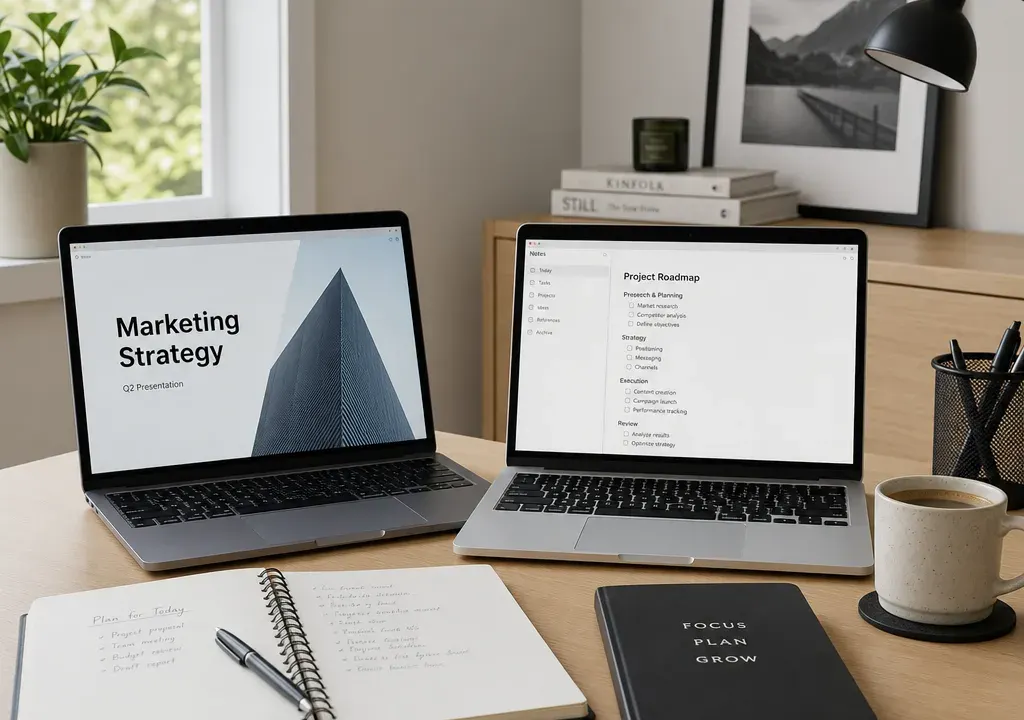
HP and Dell are two of the most familiar laptop brands for UK shoppers, especially if you need one machine for coursework, office tasks, video calls, browsing and day-to-day admin. The challenge is that both brands sell a wide spread of models, so a cheap laptop from one brand can be a very different proposition from a more powerful model from the other.
The most useful way to compare HP and Dell laptops is not to ask which brand is automatically better. Instead, look at what each available model offers for the money: the processor, RAM, storage, screen size, weight, operating system and whether it is actually in stock at a retailer you are happy to buy from.
For light study, web research, email, document editing and streaming, you may not need the most expensive Windows laptop. A Chromebook or entry-level laptop can be enough if your work is mainly browser-based and you are comfortable using cloud storage and web apps.
For work that involves larger spreadsheets, lots of browser tabs, photo editing, coding, design software or frequent multitasking, it is worth prioritising a stronger processor, more RAM and faster storage. In that situation, a slightly higher upfront spend can feel better over several years because the laptop is less likely to feel strained.
If you are buying for a student, think about portability as much as performance. A large screen is useful for essays and split-screen research, but a lighter 13-inch or 14-inch laptop may be easier to carry around campus. For home office use, a bigger 15-inch or 16-inch display can be more comfortable if the laptop often stays on a desk.
HP is often worth considering when you want a broad choice across everyday laptops, Chromebooks and more premium-looking machines. In the supplied catalogue context, an HP Chromebook Plus 14 appears as an example of the kind of compact, study-friendly option shoppers may compare against Windows laptops. Its 14-inch size points to a useful middle ground for portability and desk work, although you should always check the live specification before buying.
HP can be a good direction if your shortlist includes a Chromebook for simple school, college or home use, or a Windows model with a balanced specification at a competitive offer price. Look closely at whether the model has enough RAM and storage for your needs, because brand name alone does not tell you how well it will cope with multitasking.
HP may also appeal if you find a well-specified model in stock from a retailer you already use. In laptop shopping, availability matters: a good deal is only helpful if the exact configuration, colour and delivery or collection option suit your timing.
Dell is also a sensible brand to compare for work and study because it covers everyday home laptops, business-focused machines and more premium ultraportable designs. If your priority is a Windows laptop for productivity, it is worth checking Dell options alongside HP rather than assuming one brand will always offer better value.
Dell may be strongest for you when the available model gives you the right combination of processor, RAM, storage and screen quality at a better current offer than the nearest HP alternative. For example, a Dell model with more memory or larger SSD storage may be the better buy than a cheaper HP if you regularly run multiple apps or keep files stored locally.
The key is to compare like with like. A low-cost Dell laptop should not be judged against a higher-spec HP, and a premium Dell should not be dismissed simply because an entry-level HP costs less. Match the tier and specification first, then compare the offer.
The processor has a major influence on how responsive a laptop feels. For straightforward browsing and writing, an entry-level chip may be fine. For heavier multitasking, creative work or more demanding software, you should look for a newer and stronger processor class.
When comparing HP and Dell laptops, do not rely only on broad labels such as Intel Core or AMD Ryzen. Check the full processor name and generation where shown, because two laptops with similar-looking names can perform quite differently. If one model has a noticeably newer or higher-tier processor at a similar price, that may be a stronger long-term choice.
For students and office workers, the sweet spot is usually not the absolute most powerful chip, but one that balances speed, battery efficiency and price. If you mostly use cloud documents, email and video calls, you may get more benefit from extra RAM or a better screen than from paying heavily for processor power you will not use.
RAM affects how well a laptop copes with multitasking. If you keep lots of tabs open, switch between documents and video calls, or run several apps together, more RAM can make the laptop feel smoother.
For very basic use, lower RAM configurations may still be workable, particularly on lightweight operating systems. For a main work or study laptop, however, compare HP and Dell models carefully if one has more RAM at a similar price. That difference can matter more in daily use than a slightly larger screen or a cosmetic feature.
Also check whether the RAM is clearly stated. If a listing does not make the memory easy to confirm, treat that as a reason to look more closely before buying. A laptop deal is only good value if the core specification matches your workload.
Storage is where many buyers focus only on the headline number, but type and capacity both matter. An SSD helps a laptop start up and open apps quickly, while larger capacity gives you more room for files, photos, downloads and offline work.
If you mainly work in the cloud, a smaller drive may be acceptable. If you store projects, media, software or coursework locally, a larger SSD is usually more comfortable. When comparing HP and Dell laptops, check whether one model offers more storage without a large jump in price.
Chromebooks often rely more heavily on cloud storage, so do not compare their storage figures directly with Windows laptops without thinking about how you will use the machine. A Chromebook with modest local storage can still suit browser-based work, while a Windows laptop for broader software use may need more built-in capacity.
Screen size is one of the clearest differences between laptop models. A 14-inch laptop is often a good compromise for students and hybrid workers because it is easier to carry while still being large enough for writing, research and calls. A 15-inch or 16-inch laptop can feel more comfortable for spreadsheets, presentations and long work sessions at a desk.
If you travel regularly, do not choose a larger display without checking the weight. A bigger screen can improve comfort, but the laptop may be less convenient in a backpack. If the laptop will mostly stay at home, a larger display may be worth it, especially if you do not plan to use an external monitor.
When comparing HP and Dell, match display size to your routine first. The better brand is the one offering the right screen size with the best supporting specification and current value, not simply the one with the largest panel.
Product images can make most laptops look slim and modern, but portability depends on weight, thickness, charger size and how often you need to carry it. A laptop that looks fine online can feel inconvenient if it is used on trains, in lecture halls or between meetings every day.
Check the listed weight where available, and consider whether you need a compact laptop bag or sleeve. Students and commuters may prefer a lighter model even if it means accepting a smaller screen. Home workers may prefer a larger machine with a roomier keyboard and display.
Build quality is harder to judge from catalogue data alone, so avoid making assumptions. Instead, compare the practical details shown: hinge style, keyboard layout, port selection, webcam placement and whether the laptop has the connections you need for monitors, storage, headsets or classroom equipment.
Laptop prices and offers change, so treat any current price as a snapshot rather than a permanent fact. A cheaper HP or Dell may be the right buy if it covers your needs, but the lowest price is not automatically the best value if you quickly outgrow the processor, RAM or storage.
A useful comparison is to shortlist two or three HP and Dell models with similar screen sizes and intended use, then compare the core specification side by side. If one costs a little more but has more RAM, a larger SSD or a stronger processor, it may be the better long-term choice.
Also pay attention to stock availability. If one model is discounted but unavailable, limited in configuration or not suitable for your preferred collection or delivery route, another offer may be more practical. Availability is part of value, especially when you need a laptop for a course start date or work deadline.
Choose HP if the best available offer gives you the right specification in a compact Chromebook, everyday laptop or work-friendly Windows machine, particularly if portability and a broad choice of models are high on your list.
Choose Dell if the available model has a stronger specification for the same budget, or if you find a work-focused Windows laptop that better fits your software, storage and multitasking needs.
Pause before buying either brand if the listing is unclear about processor, RAM, storage or display size. For Laptops, the detail matters. A familiar badge can be reassuring, but the specification is what determines whether the machine suits your daily work and study routine.
Neither brand is automatically better for every buyer. Compare the exact model, including processor, RAM, storage, screen size, weight and current availability. The better choice is the laptop that fits your workload and budget most closely.
For students, portability, battery expectations, screen size and value are usually more important than brand alone. A 14-inch laptop or Chromebook can be convenient for carrying around, while a larger Windows laptop may suit students who need more software flexibility.
For home working, look for enough RAM for multitasking, a comfortable display, a decent keyboard layout and the right ports for accessories. Either HP or Dell can make sense if the specification and current offer are right.
Choose a Chromebook if your work is mainly browser-based, cloud-based and relatively light. Choose a Windows laptop if you need wider software compatibility, more local storage or specialist work and study applications.
For a main everyday laptop, prioritise a suitable processor, enough RAM for multitasking, SSD storage, a screen size you can comfortably use and a weight you are happy to carry. Then compare HP and Dell offers to see which model gives the best overall balance.
HP and Dell both deserve a place on a work or study shortlist, but the right choice comes down to the model in front of you. Start with your workload, decide the screen size and portability you need, then compare processor, RAM, storage and live stock availability.
If an HP laptop gives you the right everyday specification at a strong current offer, it may be the smarter buy. If a Dell model offers more memory, storage or productivity headroom for a similar spend, it may be the better long-term choice. In the Laptops category, careful comparison beats brand loyalty every time.
