
Loading buyer guide
Hurry, don't miss savings on selected furniture & more.* Shop all offers
Choosing between ASUS and Lenovo? Focus on the processor, memory, screen, storage and the type of work you actually do, then compare live offers carefully rather than relying on brand reputation alone.
Use our barcode scanner to match products instantly to find the best prices, find products with ease using our voice search and build wish lists and your favourites at the click of a button.
Best student laptops for university
University laptops need to do more than look slim in a lecture hall. The best choice depends on your course software, how often you carry it, how many browser tabs you keep open and whether a retailer offer is genuinely useful once you check the specification.
256GB vs 512GB vs 1TB laptop storage: which should you choose?
Laptop storage is one of the easiest specs to underestimate. A lower-capacity model can look better value at first glance, while a larger SSD may save you from juggling files, photos and apps later. The right choice depends on how you actually use your laptop, not just the biggest number on the listing.
Best lightweight laptops for travel and commuting
Portable laptop shopping is less about chasing the smallest machine and more about balancing screen size, battery expectations, ports, price and where the offer is available. Here is how to compare travel-friendly options without overpaying for features you will not use.
HP vs Dell laptops: which is right for work and study?
HP and Dell both cover everyday study, office work and more capable productivity machines, but the better buy depends on the specification in front of you rather than the badge alone. Compare processor, memory, storage, screen size, weight and live availability before deciding.
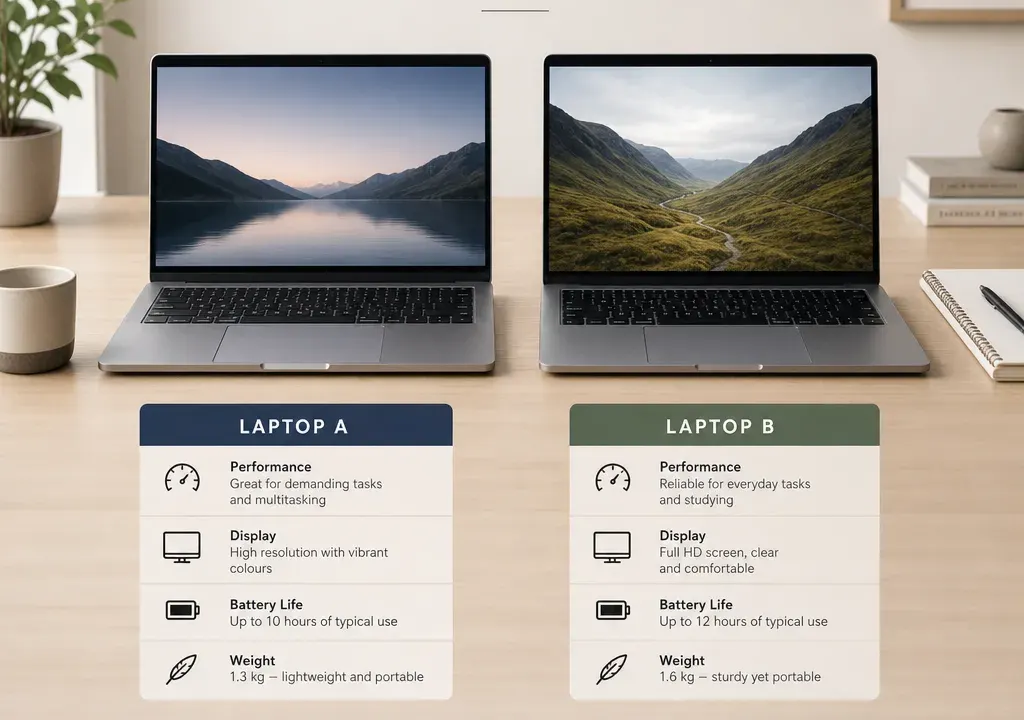
ASUS vs Lenovo is a common decision for UK shoppers because both brands appear across a wide spread of Laptops, from affordable everyday machines to slim premium models and performance-focused options. The better-value choice is not fixed; it depends on what specification you get for the money, whether the model suits your use case, and how credible the current offer looks.
If you want a lightweight laptop for study, admin, browsing and streaming, either ASUS or Lenovo can be good value when the specification is right. A cheaper machine can be perfectly sensible if it has enough memory, suitable storage and a screen size you can live with every day.
If you want a more premium feel, stronger multitasking or a laptop for creative work, compare the exact processor class, RAM, storage and display details rather than assuming one brand is always ahead. ASUS Zenbook and Vivobook models often appear in value comparisons, while Lenovo buyers commonly compare IdeaPad, Yoga, ThinkPad and Legion ranges depending on whether they need home, hybrid work, business or gaming performance.
For most shoppers, the best value will be the model that gives the right balance of performance and build for the lowest credible total cost, not necessarily the one with the biggest advertised discount.
ASUS is often attractive when you are comparing stylish consumer laptops, large-screen home machines and slim premium designs. In the current catalogue context supplied for this guide, ASUS examples include Zenbook and Vivobook models, which sit in recognisable parts of the market: Zenbook for more premium portability and Vivobook for mainstream everyday use.
When comparing an ASUS laptop, pay close attention to the series name. A Vivobook may be excellent value for everyday work if the processor, RAM and storage are right, while a Zenbook may justify a higher spend if you prioritise portability, display quality and a more premium design. The name alone is not enough; the specification decides whether the offer is strong.
Be especially careful with unusually steep discounts or surprisingly low listed prices. A dramatic reduction can be a useful signal to investigate, but it is not proof of value on its own. Check the live product page, specification, condition, seller details, warranty information and whether the offer is still available before treating it as a genuine bargain.
Lenovo’s strength for many buyers is the breadth of its laptop families. IdeaPad models are commonly considered for everyday home and student use, Yoga models for flexible or more premium designs, ThinkPad models for business-style productivity, and Legion models for gaming or heavier performance tasks. That spread makes Lenovo worth comparing across several budgets rather than only against one ASUS range.
A Lenovo laptop can be the better-value choice if it offers a more suitable keyboard, screen size, port selection or business-friendly design for your needs at a similar price. For hybrid workers, students and anyone typing for long periods, comfort can matter as much as headline processor power.
Because Lenovo ranges can overlap, compare like with like. A budget IdeaPad should not be judged directly against a premium ASUS Zenbook without considering why one costs more. Match the model class first, then compare the specification and offer.
At the lower end of the Laptops market, value usually comes down to avoiding underpowered specifications. Look for enough RAM for your normal workload, storage that will not fill up immediately, and a processor suitable for your apps. If you mainly use browser-based tools, email, video calls and documents, you may not need to pay for high-end performance.
In the mid-range, ASUS Vivobook and Lenovo IdeaPad or Yoga options are often the kinds of models shoppers compare. This is where small specification differences can matter: one model may have more storage, another a better screen size, and another a newer processor. Do not compare only the discount percentage; compare what you actually receive.
In the premium range, ASUS Zenbook and Lenovo Yoga or ThinkPad models may compete for buyers who care about portability, build, battery expectations and screen quality. Here, value is about suitability as much as savings. A slightly more expensive laptop may still be better value if it is lighter, better configured or more appropriate for daily work.
Processor: compare the exact processor family and generation where available. A familiar brand name such as Intel Core, AMD Ryzen or Core Ultra is only the starting point; the specific chip tells you more about performance expectations.
Memory: for general multitasking, RAM can make a noticeable difference. If you keep many browser tabs open, use office apps and join video calls, prioritise a configuration that will not feel tight after a year of use.
Storage: check both capacity and type. More storage is useful if you keep photos, videos, large documents or apps locally. If you mostly use cloud storage, capacity may be less critical, but it still affects convenience.
Screen: size, resolution and panel quality all affect daily comfort. A large-screen laptop can be better for home use, while a smaller model is easier to carry. If you work long sessions, do not ignore display quality and brightness information where provided.
Ports and connectivity: compare whether the laptop has the connections you actually use, such as USB-C, HDMI, headphone socket or memory card support. A good-looking deal can become less appealing if you immediately need extra adapters.
Availability can change quickly, particularly when a laptop appears with a strong discount or limited stock. When comparing ASUS and Lenovo offers, check whether the product is sold as new, refurbished, open-box or marketplace-listed, and whether the seller information is clear.
Be wary of offers that look far below the rest of the market without an obvious explanation. It may be a genuine short-term promotion, but it could also reflect a listing issue, a different configuration, limited availability or product condition. Always confirm the specification on the live product page before buying.
A sensible comparison is not just ASUS price versus Lenovo price. It is ASUS specification, condition, seller, availability and aftercare information versus the equivalent Lenovo details. That gives you a much clearer view of real value.
For students, the best value is usually a laptop that is light enough to carry, fast enough for research and assignments, and comfortable enough for long typing sessions. ASUS Vivobook-style options and Lenovo IdeaPad-style options are both worth comparing in this space.
Prioritise battery expectations, weight, webcam quality, keyboard comfort and enough RAM for multitasking. If the course involves design, engineering, video editing or specialist software, check the recommended specification for that course before choosing either brand.
A low price can be tempting, but a laptop that struggles with your workload can become poor value quickly. Compare the full specification and avoid paying for gaming or premium features unless you genuinely need them.
For home office use, Lenovo may appeal if you like business-style designs or need a practical keyboard-led machine, while ASUS may appeal if you want a lighter or more style-focused laptop for mixed work and personal use. The right answer depends on the exact model.
Look at keyboard layout, screen size, webcam information, microphone details, port selection and whether the laptop can comfortably run your usual work apps. If you use a separate monitor, check the display outputs or USB-C capabilities listed by the retailer.
For shared family use, a larger screen and durable-feeling build may matter more than ultra-light portability. Compare ASUS and Lenovo models around the same screen size to avoid overpaying for features you will not use.
For gaming, video editing, 3D work or heavier creative tasks, the graphics specification becomes important. Do not buy on brand alone; compare the GPU, processor, RAM, cooling design information and screen refresh rate where listed.
Lenovo Legion models are commonly associated with gaming and performance categories, while ASUS also has gaming and creator-focused ranges outside its mainstream everyday lines. When comparing offers, make sure you are matching similar performance classes rather than comparing a general-purpose laptop against a dedicated gaming model.
Creative buyers should also check colour-related display information where provided, storage capacity and upgrade options if listed. A laptop that is excellent for office work may not be the best value for editing large media files.
First, choose your main use case: study, home browsing, office work, travel, gaming or creative work. This stops you being distracted by models that look impressive but do not fit your needs.
Second, set a realistic budget range and compare current offers within that range. Do not rely on the highest discount percentage; compare the final offer against the specification.
Third, shortlist models from the same class. Compare ASUS Vivobook with Lenovo IdeaPad-style options for everyday use, ASUS Zenbook with Lenovo Yoga or premium productivity options, and performance ranges against performance ranges.
Fourth, check the details that affect daily use: weight, screen size, RAM, storage, processor, ports and product condition. If any of these are unclear, treat the offer with caution until you verify it.
Finally, compare availability across the Laptops category before buying. Catalogue breadth matters because a slightly different configuration can sometimes offer better long-term value than the first deal you see.
Sometimes, but not always. ASUS can look strong when a Vivobook or Zenbook has the right specification at a competitive offer price. Lenovo can be better value when an IdeaPad, Yoga, ThinkPad or Legion model better matches your workload. Compare like-for-like specifications before deciding.
Both brands can work well for students. Prioritise portability, battery expectations, RAM, storage, keyboard comfort and the software your course requires. The better-value option is the one that meets those needs without adding features you will not use.
No. A large advertised discount is only a signal to look closer. Check the live specification, condition, seller details, availability and whether the configuration is suitable. Very unusual pricing should always be verified before purchase.
For everyday use, compare ASUS Vivobook with Lenovo IdeaPad-style models. For premium portability, compare ASUS Zenbook with Lenovo Yoga or higher-end productivity models. For gaming and demanding creative work, compare dedicated performance ranges rather than mainstream laptops.
For most buyers, start with processor, RAM, storage, screen size and weight. Then check ports, webcam information and product condition. The right balance depends on whether you need the laptop for basic tasks, work, study, travel, gaming or creative software.
ASUS and Lenovo both offer strong options, so the better-value brand depends on the exact laptop in front of you. ASUS may stand out when a Vivobook or Zenbook delivers a strong specification at a credible offer price, while Lenovo may be the smarter pick when its model range better suits your work, study or performance needs.
The safest way to choose is to compare current Laptops by use case, specification, condition and availability. Ignore brand assumptions, question unusually dramatic discounts, and buy the laptop that gives you the most suitable performance and comfort for your budget.
