
Loading buyer guide
Hurry, don't miss savings on selected furniture & more.* Shop all offers
Choosing between 256GB, 512GB and 1TB storage? Here’s how to compare laptop listings by capacity, SSD type, price difference and everyday use, so you can avoid paying for space you will not use or buying too little.
Use our barcode scanner to match products instantly to find the best prices, find products with ease using our voice search and build wish lists and your favourites at the click of a button.
Best student laptops for university
University laptops need to do more than look slim in a lecture hall. The best choice depends on your course software, how often you carry it, how many browser tabs you keep open and whether a retailer offer is genuinely useful once you check the specification.
Best lightweight laptops for travel and commuting
Portable laptop shopping is less about chasing the smallest machine and more about balancing screen size, battery expectations, ports, price and where the offer is available. Here is how to compare travel-friendly options without overpaying for features you will not use.
HP vs Dell laptops: which is right for work and study?
HP and Dell both cover everyday study, office work and more capable productivity machines, but the better buy depends on the specification in front of you rather than the badge alone. Compare processor, memory, storage, screen size, weight and live availability before deciding.
ASUS vs Lenovo laptops: which brand offers better value?
ASUS and Lenovo both cover everyday, creative, student and premium laptop needs, but value depends less on the badge and more on the specification, model family and offer quality in front of you.
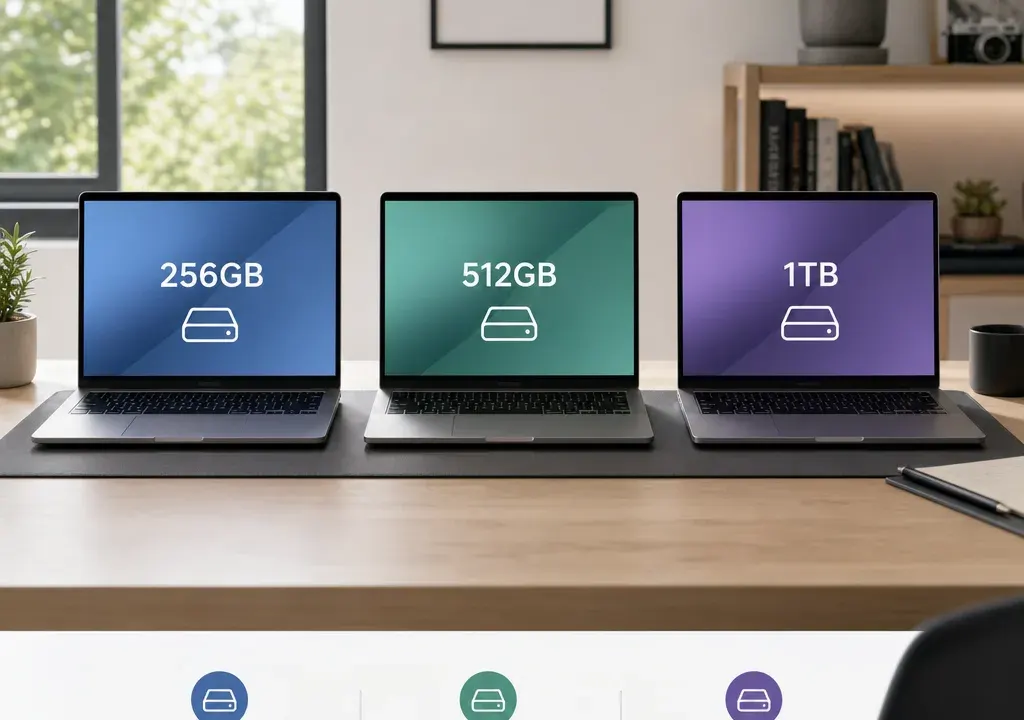
Storage capacity is not the most exciting laptop specification, but it has a big effect on how comfortable a machine feels after a few months of use. A laptop that looked like a bargain can become frustrating if you constantly need to delete downloads, move photos to the cloud or avoid installing larger apps.
When comparing Laptops, the key question is not simply whether 1TB is better than 512GB or 256GB. It is whether the extra storage is worth the price difference for your workload, and whether the listing includes fast SSD storage rather than older or slower alternatives.
This buying guide uses catalogue comparison signals, retailer availability and listing information as decision context. It does not imply hands-on testing. Always check the live retailer listing before buying, especially where a discount, storage size or configuration looks unusually strong.
A 256GB laptop is usually best for light everyday use. Think web browsing, email, documents, streaming, schoolwork and cloud-based storage. It can work well if you mainly use online services and do not keep many large files locally.
A 512GB laptop is the safest middle ground for many buyers. It gives more breathing room for applications, photos, work files and offline media without automatically moving into the more expensive end of the range. For students, hybrid workers and general family use, 512GB often feels more flexible than 256GB.
A 1TB laptop is worth considering if you store lots of photos, videos, games, creative projects or work files on the device itself. It is also useful if you want the laptop to last several years without constantly managing storage. For buyers comparing premium Laptops, 1TB may appear alongside higher-end processors, larger screens or more advanced display features, so consider the whole specification rather than storage alone.
A 256GB laptop can be a sensible choice when you want to keep costs down and your computing is mostly browser-based. If you use cloud documents, stream music and video, and only install a modest set of apps, 256GB may be enough.
The risk is that usable space is lower than the headline number once the operating system, updates and pre-installed software are taken into account. Add a few large applications, downloaded films or a growing photo library, and the space can shrink quickly.
When comparing 256GB listings, check whether the storage is described as an SSD. SSD storage is generally the expectation on modern laptops because it helps the device feel more responsive than older hard drive storage. If a listing is unclear, treat that as something to verify before buying.
A low-capacity Chromebook can also appear in the same comparison set. For example, catalogue listings may include models such as a Samsung Galaxy Go 14 Chromebook with 64GB storage or an Acer Chromebook 311. These are not direct 256GB Windows laptop alternatives for everyone; they suit lighter, cloud-first use rather than storing lots of files locally.
For many UK shoppers, 512GB is the point where storage stops feeling tight. It gives you more room for applications, downloaded files, photos and offline work while still often keeping the laptop within a mainstream price band.
A 512GB SSD laptop is a strong option if you do a bit of everything: office work, study, video calls, streaming, basic photo editing and general household use. It is also a good capacity if several family members may use the same device, because downloads and documents can build up faster than expected.
When comparing offers, look at the price gap between similar 256GB and 512GB models. If the difference is modest, 512GB can be the better long-term buy. If the 512GB model is much more expensive but the processor, memory and screen are no better, you may be paying heavily for storage alone.
Some laptop families have multiple configurations with similar names, so do not assume every version has the same storage. For instance, a listing name might highlight the processor or screen size rather than capacity. Open the product details and confirm storage, RAM and processor together before deciding.
A 1TB laptop gives you far more local space, which matters if you work with large media files, keep a big photo library, edit video, install sizeable games or prefer not to rely on external drives and cloud storage.
In catalogue comparisons, 1TB storage is often seen on more premium or performance-focused listings. One example from the supplied product data is the Samsung Galaxy Book6 Pro 16 Inch Core Ultra 7 1TB Grey. The storage capacity is clearly part of the listing title, which makes it easier to compare against lower-capacity alternatives.
However, 1TB is not automatically the best value. If you mainly browse, write documents and stream, a 1TB model may cost more without improving your daily experience. In that case, money may be better spent on a better screen, more memory, a lighter build or simply kept in your pocket.
The most important comparison is like-for-like. A 1TB premium laptop cannot be judged only against a cheaper 256GB model if the processor, screen size, build and features are completely different. Decide whether you are paying for useful storage or being pulled into a higher tier of laptop than you need.
Storage size tells you how much room you have. Storage type influences how the laptop feels to use. For most buyers, an SSD is preferable because it helps with start-up times, app loading and general responsiveness compared with older-style hard drives.
When browsing Laptops, look for terms such as SSD in the specification. If a product title only mentions the processor, screen size or model name, check the detailed spec rather than assuming the storage type.
Be especially careful with unusually cheap or heavily discounted listings. The supplied catalogue includes some eye-catching price and discount signals across ASUS, Acer, MSI, Samsung and HP listings, but live offers can change and listing data can occasionally look unusual. Treat a very low price as a reason to inspect the retailer page carefully, not as a reason to rush.
If two laptops have the same capacity but only one clearly states SSD storage, the clearer SSD listing may be easier to buy with confidence. If neither listing confirms the type, compare other available information or choose a listing with better specification detail.
Start by narrowing your comparison to laptops with similar core specs. Storage is only one part of the value equation. Processor, RAM, screen size, weight, battery claims, operating system and brand range all influence price.
Next, compare the capacity jump. If moving from 256GB to 512GB costs a relatively small amount within the same model family, the extra room may be worthwhile. If moving to 1TB also brings a premium processor, larger display or more advanced design, decide whether those extras are genuinely useful to you.
Do not compare discounts in isolation. A high percentage discount can look impressive, but what matters is the final offer, the specification, the retailer, availability and whether the product suits your use case. Catalogue discount signals are useful for spotting offers, but they should not replace checking the live product details.
Also think about external storage. If you only occasionally need more room, an external drive or cloud storage may be cheaper and more flexible than buying a higher-capacity laptop. If you regularly work away from home with large files, built-in storage is more convenient.
For basic home use, such as browsing, online shopping, video streaming and documents, 256GB can be enough. A Chromebook with even less local storage may also suit cloud-first users, but it is a different type of laptop experience from a higher-capacity Windows machine.
For university, college or everyday work, 512GB is often the comfortable choice. It gives room for productivity apps, downloads, lecture materials, work files and personal media without feeling excessive.
For creative work, 1TB becomes more attractive. Photo editing, video projects, design files and audio work can create large folders quickly. If you work on these files locally, extra built-in storage can save time and reduce clutter.
For gaming, capacity depends on the games you play and how many you keep installed. Some gaming-focused laptops may appear with higher storage and performance specs, such as MSI Pulse listings in the catalogue data, but you still need to verify the exact storage configuration on the live listing.
For travel and commuting, do not look at storage alone. A 512GB lightweight laptop may be more useful than a bulky 1TB model if portability matters more than keeping every file offline.
Choose 256GB if you want a lower-cost laptop for light use, you are comfortable with cloud storage, and you do not plan to install many large apps or keep extensive media libraries on the device.
Choose 512GB if you want a flexible everyday laptop with enough space for work, study, photos, downloads and a wider mix of apps. This is the capacity many shoppers should compare first.
Choose 1TB if you store large files locally, edit media, play games, keep big archives or want more long-term headroom. It can be worth the extra spend when the storage will genuinely be used.
Before committing, confirm the storage capacity, whether it is SSD, the RAM, processor and operating system. Then compare similar products and offers in Laptops rather than judging one specification in isolation.
256GB can be enough for light everyday use, especially if you rely on cloud storage and streaming. It is less suitable if you keep lots of photos, videos, games or large work files on the laptop itself.
For many buyers, yes. 512GB gives noticeably more breathing room for apps, downloads and personal files. It is often the better long-term choice if the price difference is reasonable and the rest of the specification is similar.
A 1TB laptop is best for people who store large files locally, such as creative projects, video, photos, games or extensive work archives. If your use is mostly browsing and documents, 1TB may be more than you need.
In most cases, yes. An SSD helps a laptop feel faster and more responsive than older hard drive storage. Always check the product specification, as not every listing makes the storage type clear in the title.
Yes. Chromebooks are often designed around cloud storage and web-based apps, so they may have lower built-in storage than many Windows laptops. That can be fine for light use, but it is not ideal if you need lots of local file space.
The best laptop storage size is the one that matches your real habits. 256GB can be a good-value option for light, cloud-first use. 512GB is the balanced choice for many households, students and workers. 1TB makes sense when large files, games or long-term storage headroom genuinely matter.
When comparing Laptops, do not let capacity distract from the wider specification. Check whether the storage is SSD, compare like-for-like models, treat unusually strong discounts carefully, and choose the offer that gives you the most useful balance of space, performance and price.
