
Loading buyer guide
Hurry, don't miss savings on selected furniture & more.* Shop all offers
A sharper screen is only part of the decision. Learn how to filter OLED laptop options and compare the specification that really matters before you buy.
Use our barcode scanner to match products instantly to find the best prices, find products with ease using our voice search and build wish lists and your favourites at the click of a button.
Best student laptops for university
University laptops need to do more than look slim in a lecture hall. The best choice depends on your course software, how often you carry it, how many browser tabs you keep open and whether a retailer offer is genuinely useful once you check the specification.
256GB vs 512GB vs 1TB laptop storage: which should you choose?
Laptop storage is one of the easiest specs to underestimate. A lower-capacity model can look better value at first glance, while a larger SSD may save you from juggling files, photos and apps later. The right choice depends on how you actually use your laptop, not just the biggest number on the listing.
Best lightweight laptops for travel and commuting
Portable laptop shopping is less about chasing the smallest machine and more about balancing screen size, battery expectations, ports, price and where the offer is available. Here is how to compare travel-friendly options without overpaying for features you will not use.
HP vs Dell laptops: which is right for work and study?
HP and Dell both cover everyday study, office work and more capable productivity machines, but the better buy depends on the specification in front of you rather than the badge alone. Compare processor, memory, storage, screen size, weight and live availability before deciding.
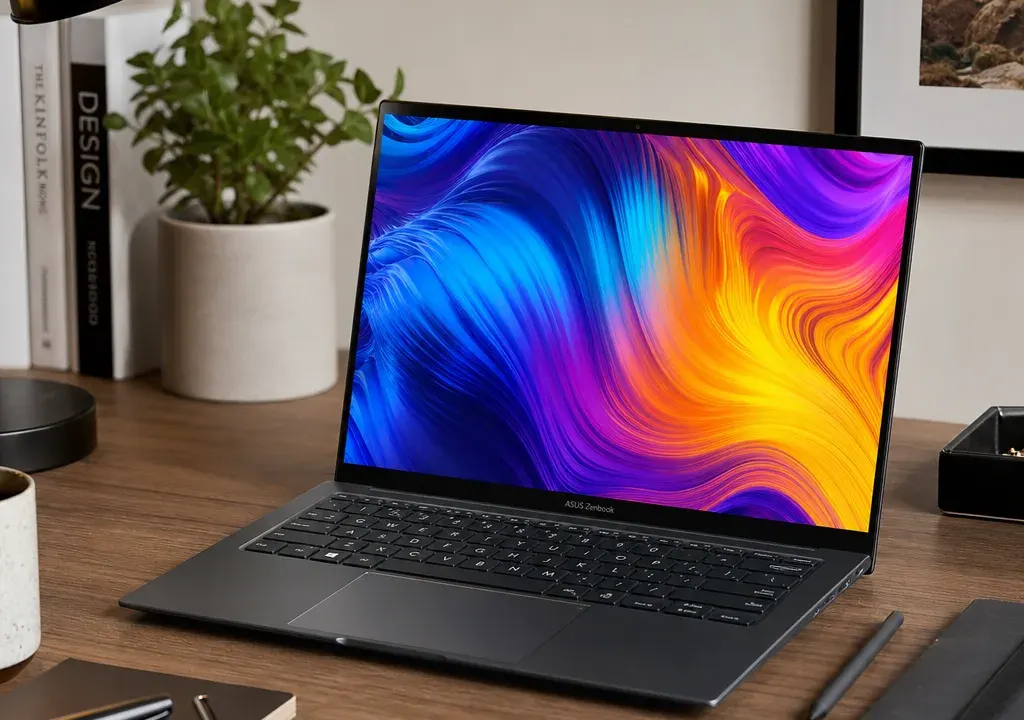
OLED displays are one of the most eye-catching upgrades in the Laptops category, especially if you watch films, edit photos, work with visual content or simply prefer a richer-looking screen. But an OLED panel alone does not make a laptop the best choice for you.
The smarter approach is to filter for models with OLED or AMOLED display specifications, then compare them against the rest of the package: resolution, screen size, processor, memory, storage, operating system fit and retailer availability. A premium display paired with the wrong performance level, too little storage or an awkward size may not feel like good value once you use it every day.
This guide is comparison-led rather than test-led. It uses product catalogue signals such as listed specifications, availability and value indicators to help you shortlist options, without implying hands-on testing.
Before comparing laptops, check that the product specification clearly states OLED or AMOLED. Do not rely only on product names, marketing images or the word “Pro”, because those details do not always confirm the panel technology.
If you are browsing Laptops and using filters, begin with display type. Once you have narrowed the list to OLED models, compare the supporting display details. Resolution tells you how sharp the screen is, while screen size affects comfort, portability and how much workspace you have.
A 14-inch OLED laptop can be a strong option for commuting, university or hybrid work, while a 16-inch model may feel better for design work, spreadsheets, media and multitasking. Larger screens are often more immersive, but they can also make the laptop less convenient to carry.
OLED screens are known for strong contrast and vivid colour, but resolution still matters. A larger screen with a modest resolution may not look as crisp as a smaller, higher-resolution display. If you work with detailed images, lots of text or multiple windows, prioritise a resolution that keeps content sharp at your preferred screen size.
For entertainment and general browsing, an OLED display at a sensible resolution may be enough. For creative work, photo editing or premium media use, it is worth looking more closely at whether the listed resolution matches your expectations.
When product listings include 14-inch, 15-inch, 16-inch or 18-inch sizing, compare that against the resolution rather than treating size as automatically better. The best choice is the one that gives you the right balance of sharpness, space and portability.
Once the screen specification is confirmed, look at the processor. The product candidates in the wider laptop catalogue include models with Intel Core i7, Core Ultra 7, Ryzen 5 and entry-level Chromebook processors, which shows how varied performance levels can be even within the same broad shopping category.
If your priority is everyday browsing, email, documents and streaming, you may not need the most powerful processor available. If you expect to edit large files, keep many apps open, use creative software or want a more premium long-term setup, it is sensible to compare higher-tier processors more closely.
Models such as ASUS Zenbook S16 Copilot PC, MSI Pulse 16 AI Core Ultra 7 and Samsung Galaxy Book6 Pro 16 Inch Core Ultra 7 1TB show the kind of product names where performance-focused terms may appear. Treat those names as prompts to inspect the full specification, not as proof that one laptop is automatically better than another.
Memory affects how smoothly a laptop handles multitasking. If a listing includes 8GB RAM, as seen in some Chromebook-style product names, that may be suitable for lighter everyday use. For heavier multitasking, creative work or a more premium OLED laptop, compare whether higher memory options are available.
Storage matters just as much. A laptop with limited storage can feel restrictive if you keep lots of photos, videos, work files or large applications locally. A 1TB specification, such as the storage noted in the Samsung Galaxy Book6 Pro 16 Inch Core Ultra 7 1TB listing, is clearly aimed at buyers who want more room, but you should still compare the rest of the specification and the overall offer.
The key is to avoid paying for a beautiful screen while compromising too heavily on the components that affect day-to-day usability.
Laptop offers can change quickly, and catalogue data may show large differences between current prices, previous prices and discount percentages. These signals can help you spot where to look, but they should not be the only reason to buy.
If a listing appears to show an unusually high discount or an unexpectedly low price for the specification, treat it as a reason to check the retailer listing carefully. Confirm the model name, condition, configuration, included specification and availability before making a decision.
A good comparison is not simply the laptop with the biggest discount. It is the model where the OLED display, resolution, processor, memory, storage and retailer availability make sense together.
Retailer availability is important because the same model family can appear in more than one configuration. One listing might have more storage, another might use a different processor, and another may not include the OLED screen you expected. Always compare the full product title and specification rather than assuming every version is identical.
The supplied catalogue context includes laptops listed through different retailer types, including marketplaces, electronics retailers and mobile-led retailers. That variety can be useful when comparing offers, but it also makes careful checking more important.
If two OLED laptops look similar, compare whether the retailer listing clearly shows the display type, processor generation, RAM, storage, screen size and any included software or services. If the information is incomplete, shortlist a model with clearer specifications.
For students and commuters, a lighter 14-inch OLED laptop may be the most practical choice, provided the battery life, memory and storage meet your needs. Portability often matters more than having the largest screen.
For home working and office productivity, a 15-inch or 16-inch OLED laptop can be a comfortable middle ground. You get more screen space for documents, calls and multitasking without necessarily moving into a bulky desktop-replacement design.
For creative users, compare resolution, processor tier, memory and storage before choosing. An OLED display is appealing for visual work, but demanding software also needs enough performance behind it.
For entertainment, screen quality and speaker setup may matter more, but you should still compare storage and processor level if you want the laptop to feel responsive for everyday tasks.
First, filter the Laptops selection to models with OLED or AMOLED display specifications. Remove any listings where the display type is unclear.
Second, group your shortlist by screen size. This helps you decide whether you are really choosing between portable, everyday and large-screen options.
Third, compare resolution within each screen-size group. This prevents you from choosing a larger screen that does not offer the clarity you expect.
Fourth, compare processor, memory and storage. Make sure the laptop can handle your workload, not just your streaming habits.
Finally, compare retailer availability and offer signals. Look for clear specifications, sensible value and a configuration that matches what you intend to buy.
OLED laptops can be worth considering if screen quality matters to you, especially for films, photos, design work and premium everyday use. They are not automatically the best option for every buyer, so compare resolution, size, processor, memory, storage and price signals before deciding.
A 14-inch OLED laptop is usually easier to carry, while a 15-inch or 16-inch model gives you more workspace and a more immersive screen. The best size depends on whether portability or comfort at a desk matters more to you.
If display quality is your top priority, filter for OLED first, then compare processors. If performance is more important for demanding software, make sure the processor, memory and storage are strong enough before paying extra for a premium screen.
It depends on how you use the laptop. Light users may manage with modest storage, especially if they use cloud services. Buyers who keep large media files, creative projects or many applications locally should compare higher-capacity options.
Laptop model families often come in several configurations. Screen type, processor, RAM, storage and retailer bundles can vary, so always compare the full listing rather than relying only on the model name.
The best laptops with OLED displays are not chosen by screen technology alone. Start by confirming the OLED specification, then compare resolution, screen size, processor, memory, storage and retailer availability in a structured way.
A strong OLED laptop should suit your actual routine, whether that is commuting, studying, office work, content creation or entertainment. Use the Laptops category to compare products and offers side by side, then choose the configuration that gives you the clearest overall value rather than the most eye-catching headline.
