
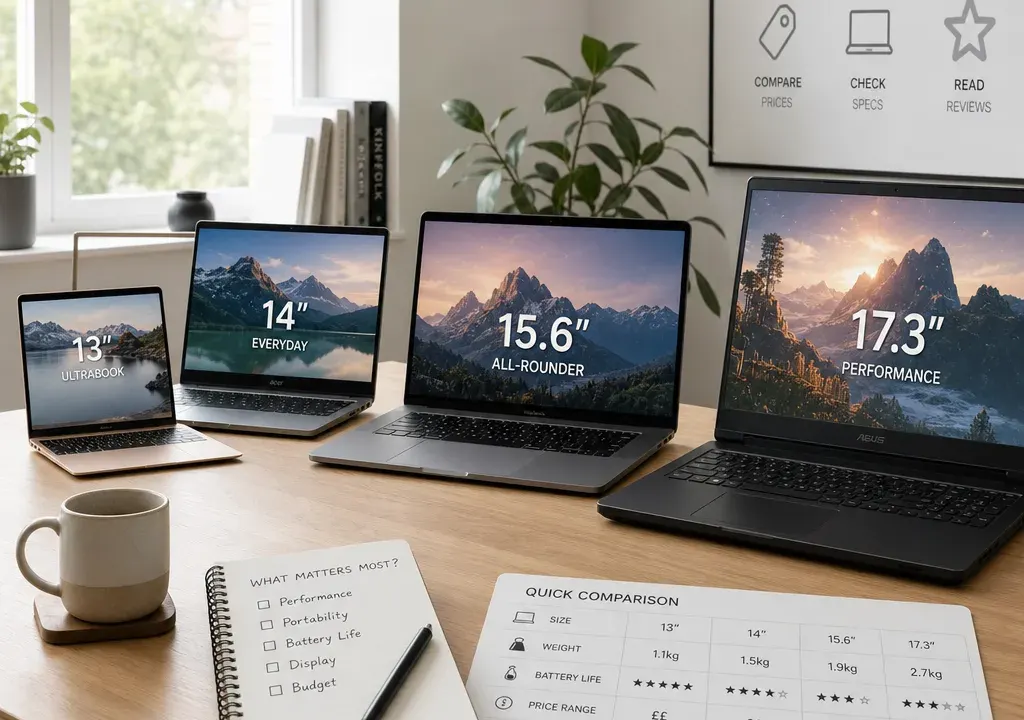
A laptop deal is only a bargain if it fits the job you need it to do. A low price on a basic Chromebook can be excellent for browsing, email and schoolwork, while a larger Windows laptop or performance model may be better value if it saves you replacing it sooner.
Because laptop prices and stock can change quickly, treat any deal as a snapshot rather than a promise. The best approach is to shortlist by use case first, then compare the live offers available in Laptops before deciding.
How to judge whether a laptop deal is genuinely good value
Start with the type of laptop, not the size of the discount. A heavily reduced model can still be poor value if it has too little storage, the wrong operating system, a screen size you dislike or performance that is not suited to your workload.
Look at the current selling price against the specification. Processor family, memory, storage, screen size, weight, ports and operating system all affect value. A cheaper machine may be the better buy for simple web tasks, while a more expensive laptop may be more sensible for creative work, large spreadsheets, coding or gaming.
Check the discount carefully. Very large reductions can be useful signals, but they should also prompt a closer look at the retailer listing. Confirm the exact model name, configuration, condition, included accessories and returns information before checking out.
Availability matters too. If two laptops are similarly priced, the one with clearer stock status, a complete product image, a recognisable configuration and a retailer listing that matches your needs may be the safer comparison choice.
Best value picks by buyer type
For basic browsing and everyday family use, Chromebooks such as the Acer Chromebook 311 CBOA311-1H-C7L1 and Samsung Galaxy Go 14 Chromebook show why entry-level laptops can still make sense. They are usually aimed at web-based tasks rather than demanding software, so compare them if you mainly use a browser, documents, streaming and video calls.
For students and home office buyers who want a familiar Windows setup, models such as the Acer Aspire Go 15 with Intel Core i7 or Samsung Galaxy Book4 NP750XGK-KG3UK are worth comparing against Chromebook options. The key question is whether you need Windows apps, more local storage or a larger screen for multitasking.
For buyers who want a more modern portable machine, the Samsung Galaxy Book4 Edge 16-Inch Laptop and Samsung Galaxy Book4 Pro 360 Laptop sit in a different part of the market. Compare them if you care about premium design, a larger display, convertible features or a more future-facing specification, but still check whether the extra cost matches your day-to-day use.
For performance-focused shoppers, MSI Pulse 16 AI C1V models and higher-spec Samsung Galaxy Book Pro configurations may appear in deal data with sizeable reductions. These are the types of laptops to compare if you need more power for gaming, creative workloads or intensive multitasking. Pay close attention to graphics, processor, memory, storage and cooling information in the retailer listing.
For shoppers tempted by unusually low catalogue prices on premium-sounding models such as ASUS Zenbook or Vivobook listings, take extra care. Extreme discounts can be caused by data quirks, limited availability, marketplace seller changes or configuration differences. Use them as a prompt to investigate, not as a reason to rush.
Chromebook, Windows laptop or premium ultraportable?
A Chromebook is often the simplest value choice if your work lives in a browser. It can suit schoolwork, casual admin, streaming and email, but it is not the right fit for every desktop application. Before buying, check that the services and software you rely on work well in a browser or through compatible apps.
A Windows laptop is the more flexible default for many buyers. It is usually the safer choice if you use specific Windows software, peripherals, specialist study tools or office applications that need local installation. When comparing deals, do not look only at the processor name; memory and storage can matter just as much in everyday use.
A premium ultraportable or convertible is about more than raw speed. The value can come from a better screen, slimmer build, lighter chassis, touchscreen functionality or longer-term comfort. If you mainly work in one place, a cheaper larger laptop may offer better value; if you commute or travel often, portability can justify spending more.
Specifications worth checking before you buy
Memory is one of the easiest areas to overlook. For very light use, a basic specification may be enough, but multitasking, large browser sessions and creative apps benefit from more headroom. If two laptop deals are close in price, the model with more suitable memory may feel better for longer.
Storage is another value factor. Smaller storage can be fine for cloud-first users, but it may become frustrating if you store photos, videos, games or large work files locally. Compare the storage type and capacity, not just the headline discount.
Screen size affects both comfort and portability. An 11-inch or 14-inch laptop may be easier to carry, while a 15-inch or 16-inch laptop can be better for spreadsheets, streaming and split-screen work. A larger screen is not automatically better if it makes the laptop too bulky for your routine.
Battery life claims, ports, webcam quality, keyboard layout and weight are also worth checking on the retailer listing. These details can turn a good-looking deal into either a strong everyday choice or an awkward compromise.
How to compare live laptop offers without being distracted by big discounts
Sort your shortlist into three groups: must-have, nice-to-have and not important. Must-have might include Windows, a minimum screen size or enough storage. Nice-to-have could include a touchscreen, premium design or a larger display. Ignore features you will not use, even if they make the discount look more impressive.
Compare like with like wherever possible. A Chromebook and a performance Windows laptop are not direct substitutes, even if both appear in the same Laptops results. A low-cost device can be the best value for light use, while a higher-spec machine can be better value for demanding work.
Watch for model names that look similar but have different specifications. Laptop ranges often include several configurations under near-identical names. Before deciding, check the processor, memory, storage and screen details on the specific listing you are considering.
Finally, compare retailer availability at the moment you are ready to buy. Stock status, seller information and final basket details can affect the real value of an offer, especially where marketplace listings or limited deals are involved.
A simple shortlist strategy
If your budget is tight and your needs are light, begin with Chromebooks and compact laptops. The Acer Chromebook 311, Samsung Galaxy Go 14 Chromebook and HP Chromebook Plus 14 are the kind of models to compare for straightforward everyday tasks.
If you want one laptop for work, study and home use, compare mainstream Windows options such as Acer Aspire, Samsung Galaxy Book and ASUS Vivobook ranges. Prioritise the configuration that best balances memory, storage and screen size rather than chasing the largest displayed reduction.
If you want premium portability, look at Galaxy Book Edge, Galaxy Book Pro 360 or Zenbook-style options, but verify the exact model and condition carefully. Premium names do not automatically mean the best value unless the specification and live price align.
If you need more power, compare MSI Pulse and higher-spec Galaxy Book Pro-style laptops against your actual workload. For gaming or creative software, graphics and cooling can matter more than a small saving. For office work, you may not need to pay for that extra performance.
Frequently asked questions
What makes a laptop deal good value?
A good laptop deal combines a fair live price, a useful specification and a retailer listing that matches your needs. The biggest discount is not always the best choice if the laptop lacks the performance, storage, screen size or software compatibility you require.
Are Chromebooks worth considering in laptop deals?
Yes, if most of your tasks are browser-based. Chromebooks can be good value for browsing, documents, streaming and schoolwork, but they may not suit buyers who need specific Windows software or heavier creative applications.
Should I choose a cheaper laptop or wait for a bigger discount?
If a current offer meets your must-have specification and is available from a retailer you are comfortable buying from, it may be worth considering. Waiting can sometimes bring better offers, but stock, configurations and discounts can also change or disappear.
How should I compare two similar laptop offers?
Check the exact processor, memory, storage, screen size, operating system, condition and retailer details. Similar model names can hide meaningful specification differences, so compare the individual listing rather than the range name alone.
Conclusion
The best laptop deal is the one that solves your actual problem at a sensible price. For some shoppers that means a low-cost Chromebook; for others it means a Windows laptop with more memory, a premium convertible or a performance-focused model.
Use the live Laptops selection to compare products and offers side by side, but keep the decision grounded in your use case. A measured shortlist will help you spot real value without being pulled in by discounts that do not match what you need.
