
Loading buyer guide
Hurry, don't miss savings on selected furniture & more.* Shop all offers
MacBooks suit shoppers already invested in Apple’s ecosystem, while Windows laptops give you broader choice across brands, screen sizes and budgets. Here’s how to compare the options sensibly before you buy.
Use our barcode scanner to match products instantly to find the best prices, find products with ease using our voice search and build wish lists and your favourites at the click of a button.
Best student laptops for university
University laptops need to do more than look slim in a lecture hall. The best choice depends on your course software, how often you carry it, how many browser tabs you keep open and whether a retailer offer is genuinely useful once you check the specification.
256GB vs 512GB vs 1TB laptop storage: which should you choose?
Laptop storage is one of the easiest specs to underestimate. A lower-capacity model can look better value at first glance, while a larger SSD may save you from juggling files, photos and apps later. The right choice depends on how you actually use your laptop, not just the biggest number on the listing.
Best lightweight laptops for travel and commuting
Portable laptop shopping is less about chasing the smallest machine and more about balancing screen size, battery expectations, ports, price and where the offer is available. Here is how to compare travel-friendly options without overpaying for features you will not use.
HP vs Dell laptops: which is right for work and study?
HP and Dell both cover everyday study, office work and more capable productivity machines, but the better buy depends on the specification in front of you rather than the badge alone. Compare processor, memory, storage, screen size, weight and live availability before deciding.
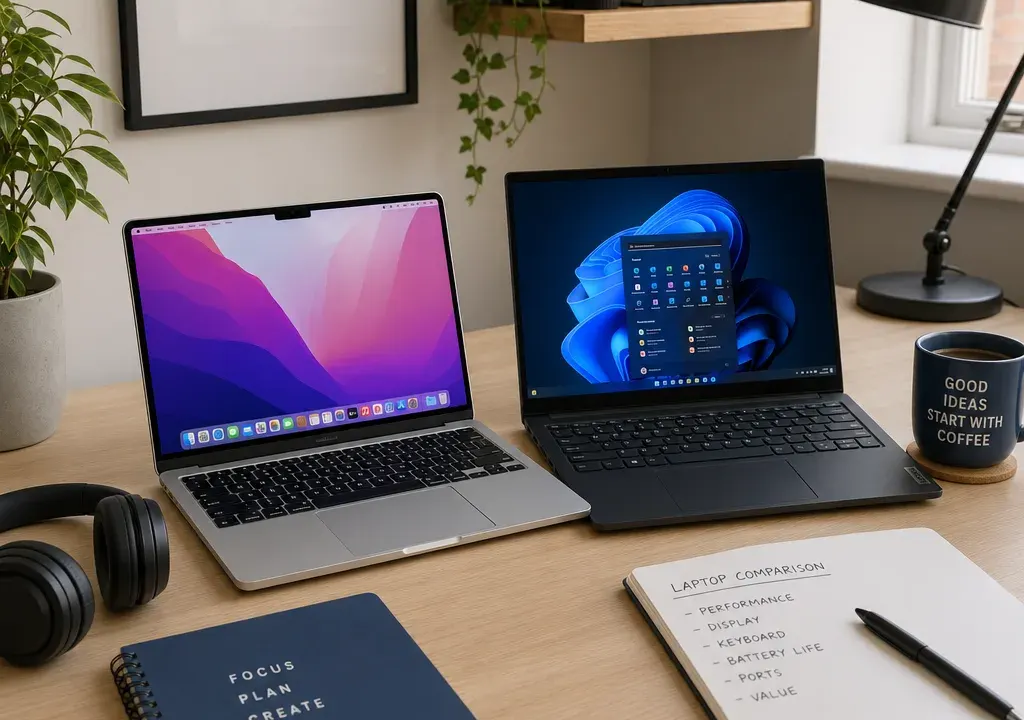
The choice between an Apple MacBook and a Windows laptop can feel bigger than it really is. Both can be excellent for work, study, browsing, video calls and creative tasks, but they suit different priorities. A MacBook is usually most appealing if you already use an iPhone, iPad or Apple services. A Windows laptop is often better if you want more choice across brands, screen sizes, ports, gaming options and price ranges.
When comparing Laptops, start with what you actually need the machine to do. A student writing essays has different priorities from someone editing video, running spreadsheets all day or wanting a large screen for home use. Current laptop listings can also vary widely by retailer, configuration and offer, so it is worth comparing products and offers rather than assuming one brand or operating system is automatically better value.
A MacBook makes the most sense if you like Apple’s software, already use iCloud, AirDrop, FaceTime or iMessage, and want a consistent experience across devices. For many buyers, the appeal is simplicity: fewer model lines, familiar software and a polished setup if the rest of your tech is Apple.
A Windows laptop is the stronger route if you want more variety. The Laptops market includes compact Chromebooks, everyday 14-inch and 15-inch notebooks, larger 16-inch and 18-inch models, gaming-style machines, convertible designs and premium ultrabooks. In the current comparison set, available Windows and ChromeOS options included brands such as Acer, ASUS, HP, MSI and Samsung, across retailers including Argos, Currys, Very, Amazon, OnBuy, EE Mobile and specialist sellers.
If you are not tied to Apple software, Windows gives you more room to shop by specification and budget. If you are already deep in Apple’s ecosystem, the convenience of a MacBook may outweigh a cheaper Windows listing.
Budget is often where the MacBook versus Windows decision becomes clearest. MacBooks are typically positioned as premium laptops, so shoppers looking for a very low-cost machine will usually find more choice among Windows laptops and Chromebooks. In the supplied catalogue examples, lower-priced listings included compact Chromebooks such as the Acer Chromebook 311 and Samsung Galaxy Go 14 Chromebook, while everyday Windows options included models such as the Acer Aspire Go 15 and Samsung Galaxy Book4.
In the mid-range, Windows shoppers may see larger screens, more varied processors and different storage choices. Examples in the current listings included Samsung Galaxy Book models and MSI Pulse 16 AI configurations. At the higher end, premium Windows machines such as Samsung Galaxy Book Pro models can sit closer to MacBook territory, especially when they include larger screens or higher storage capacities.
Be cautious with unusually low headline prices or very large discount percentages. If a premium-looking laptop appears dramatically cheaper than expected, check the exact model, condition, seller, included specification, warranty information shown by the retailer and whether the listing is for the product you think it is. A genuine comparison should look at the final product configuration, not just the biggest percentage saving.
Screen size is one of the most practical differences when browsing Laptops. A smaller 11-inch to 14-inch device is easier to carry, better for commuting and usually more suitable for school bags, lectures and occasional work away from home. Chromebooks such as 11-inch and 14-inch listings can be attractive if the main jobs are browsing, documents and streaming.
A 15-inch or 16-inch laptop gives you more room for spreadsheets, split-screen working and media. Current listings included several 16-inch options, such as Samsung Galaxy Book4 Edge 16-inch and MSI Pulse 16 AI models. These can be a better fit if the laptop will mostly stay at a desk, or if you find smaller displays tiring for long sessions.
Larger 18-inch Windows laptops, such as the ASUS Vivobook 18 listing in the product set, are more about screen comfort than portability. Before choosing a large model, think about the bag you will carry it in, the desk space you have, and whether battery life and weight matter more than display size.
Memory and storage can make two laptops with similar names feel very different in daily use. For basic browsing, email and documents, modest memory and storage may be acceptable, especially on a Chromebook that relies heavily on cloud services. The Samsung Galaxy Go 14 Chromebook listing, for example, included 8GB RAM and 64GB storage in its title, which signals a more cloud-focused setup rather than a machine for storing large local files.
For Windows laptops, many buyers should pay close attention to RAM and storage before comparing offers. More memory helps if you keep lots of browser tabs open, use office software heavily or multitask between video calls and documents. More storage is useful if you keep photos, videos, games or large work files on the device rather than in cloud storage.
Premium listings may advertise larger storage capacities, such as the Samsung Galaxy Book6 Pro 16 Inch Core Ultra 7 1TB Grey in the supplied set. That sort of specification can be useful for demanding users, but it may be unnecessary if your laptop use is mostly web-based. Compare the actual memory and storage line by line rather than relying on a product family name.
The operating system should be one of your first filters. Choose a MacBook if you prefer macOS, use Apple apps regularly and want smooth hand-off with other Apple devices. It is particularly appealing for shoppers who already know they like Apple’s way of managing photos, messages, notes, passwords and device syncing.
Choose Windows if you need broad software compatibility, want more hardware choice or use workplace applications that are designed around Windows. Windows laptops also offer more variety for gaming and specialist hardware configurations, though you still need to check the individual graphics, processor and memory specification before assuming a laptop is suitable for demanding games or creative work.
Choose a Chromebook if your needs are mainly browser-based: email, web apps, streaming, cloud documents and simple everyday tasks. Chromebook listings in the comparison set, including Acer, HP and Samsung models, can be worth considering for schoolwork or light home use, provided the buyer is comfortable relying on online services and does not need specific Windows or macOS software.
Availability across retailers can influence the final decision as much as the laptop itself. In the current product set, laptop listings appeared from familiar high-street and online retailers as well as marketplace-style sellers. That matters because the same broad model family can be sold in different configurations, and retailer pages may differ in how clearly they show processor, memory, storage, condition and included accessories.
When comparing offers, check whether the listing title gives enough detail. A title such as Samsung Galaxy Book4 Edge 16-Inch Laptop tells you the line and screen size, but you may still need to confirm memory, storage and processor details before deciding. A title that includes 8GB RAM, 64GB storage or 1TB storage gives more immediate comparison information, but you should still verify the full retailer listing.
It is also sensible to compare several Laptops rather than choosing the first offer that looks discounted. A lower headline price is only good value if the specification, operating system, retailer information and intended use all line up.
A MacBook is likely to be the better choice if you already use Apple devices every day, value a consistent software experience and do not need the widest possible range of screen sizes or hardware configurations. It can also be a straightforward option if you want one laptop for work, study and personal use and you are comfortable with macOS.
However, if you are stretching your budget to buy a MacBook, compare what similarly priced Windows laptops offer in screen size, storage and memory. The best choice is not always the most aspirational one; it is the one that comfortably handles your everyday workload without forcing you to compromise elsewhere.
A Windows laptop is usually the better fit if you want the widest choice. You can compare compact, everyday, large-screen, premium and performance-focused designs from several brands. The supplied catalogue included ASUS, Acer, MSI, Samsung and HP examples, showing how varied the Windows and ChromeOS side of the Laptops category can be.
Windows is also a practical choice for buyers who need specific software for work, study or hobbies. If your employer, college or course recommends Windows, or if you rely on applications that are not available on macOS, that should carry more weight than brand preference.
The main challenge is filtering the choice. Focus on the screen size, processor class, memory, storage, weight and retailer information. A Windows laptop can be excellent value, but only if the specification matches your needs.
Not automatically. A MacBook is better if you prefer macOS and use Apple services heavily. A Windows laptop is better if you want more choice across budgets, screen sizes, brands and software compatibility.
Yes, if your needs are mainly web browsing, email, streaming and cloud documents. Chromebooks can be a sensible lower-cost option, but they are not ideal if you need specific Windows or macOS software.
Choose 11 to 14 inches for portability, 15 to 16 inches for a balance of comfort and mobility, and larger sizes if the laptop will mostly stay on a desk. Always consider weight and bag fit as well as display size.
If you use cloud storage and mainly work online, a smaller drive may be enough. If you store photos, videos, games or work files locally, compare higher storage options carefully. Some premium listings include 1TB storage, but not every buyer needs that much.
No. A large discount can be worth checking, but it should not be the only reason to buy. Confirm the exact specification, condition, operating system, retailer details and whether the laptop suits your intended use.
For most shoppers, the MacBook versus Windows laptop decision comes down to ecosystem and choice. Buy a MacBook if you want the Apple experience and know macOS suits your work and personal setup. Buy a Windows laptop if you want more flexibility across price ranges, screen sizes, brands and specifications.
Before you decide, compare Laptops by the details that affect daily use: screen size, memory, storage, operating system, retailer availability and the total value of the offer. The right laptop is not simply the cheapest or the most premium; it is the one that fits how you will actually use it.
