
Loading buyer guide
Hurry, don't miss savings on selected furniture & more.* Shop all offers
Choosing between Samsung Galaxy Tab A and Tab S is less about brand loyalty and more about how demanding your day-to-day use will be. Here’s how to compare the two ranges using display details, storage, connectivity and live retailer offers.
Use our barcode scanner to match products instantly to find the best prices, find products with ease using our voice search and build wish lists and your favourites at the click of a button.
Best tablets for drawing and digital art
Digital art tablets vary far more than screen size and storage. For drawing, the key is whether the listing clearly confirms stylus support, pressure-sensitive pen compatibility and enough storage for your apps, brushes and exported artwork.
Tablet screen sizes compared: 8-inch, 10-inch or 12-inch?
Screen size changes how a tablet feels in your hand, how much storage matters, and whether paying extra for sharper resolution or more memory is worthwhile. Here’s how to compare 8-inch, 10-inch and 12-inch Tablets using retailer listings and catalogue specifications, without getting distracted by headline discounts alone.
Best Android tablets for everyday use
Everyday tablet shopping is less about chasing the highest specification and more about matching screen size, storage, RAM, software ecosystem and connectivity to how you actually use it. Here’s how to compare Android tablets and close alternatives in the Tablets range without overpaying for features you may not need.
Best tablets with a stylus
Stylus-friendly tablets can look similar on paper, but the buying decision often comes down to the pen itself: whether it is supported, included, comfortable to use and matched to the screen size you actually need.
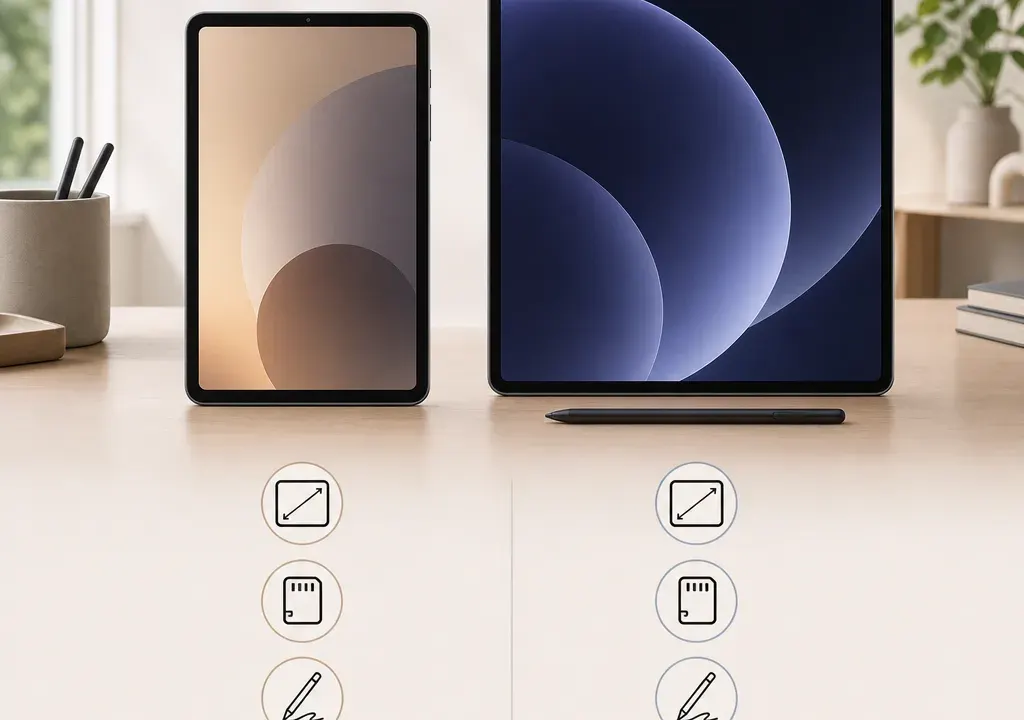
Samsung’s tablet line-up can be confusing because the names sound close, but the buying decision is usually straightforward once you separate the ranges by use case. Galaxy Tab A models are typically the value-focused choice for everyday entertainment, browsing, video calls and light productivity. Galaxy Tab S models sit higher up the range and are the better place to look if you want stronger specifications, more demanding app performance, stylus support or a more capable display.
For shoppers comparing Tablets, the key is not to ask which range is “best” in isolation. It is to match the model to the tasks you actually do: watching films, note-taking, schoolwork, gaming, travel, work apps or sharing a device at home. The current catalogue examples include Galaxy Tab A11 and A11+ configurations alongside Galaxy Tab S10 Lite and Tab S10 FE options, which gives a useful snapshot of how the two ranges differ in price positioning and specification priorities.
Choose a Galaxy Tab A if your main priorities are a lower purchase cost, simple Android tablet use, streaming, web browsing, email, online shopping, children’s entertainment or occasional document editing. Catalogue examples such as the Galaxy Tab A11 Wi-Fi with 4GB memory and 64GB storage, or the Galaxy Tab A11+ with 6GB memory and 128GB storage, show the range’s focus on accessible specifications and practical configurations.
Choose a Galaxy Tab S if you want a tablet that feels more capable for multitasking, creative work, handwritten notes, split-screen use, heavier apps or longer-term flexibility. The supplied Samsung catalogue examples include the Galaxy Tab S10 Lite with 256GB storage and Wi-Fi 6, plus the Galaxy Tab S10 FE with 8GB memory and 128GB storage. Those specifications indicate a clear step up in capability compared with the entry Tab A examples.
The important caveat is that not every Tab S model is the same. FE and Lite models can sit below Samsung’s highest-end flagship tablets, so you should still compare the exact screen, memory, storage and S Pen details rather than assuming every Tab S has every premium feature.
Screen size matters, but it is only one part of the display decision. A larger tablet can be better for films, recipes, video calls, reading PDFs and using two apps side by side, while a smaller tablet is easier to carry, hold on the sofa or use one-handed. In the supplied examples, the Tab S10 FE is listed as a 10.9-inch model, while the Tab Active5 appears as an 8-inch Samsung option. The Tab A11 and A11+ listings do not all show screen size in the product titles, so the individual product page should be checked before buying.
Display technology is where shoppers need to be careful. The Tab S range often has stronger display credentials than Tab A models, but you should not assume that every S-branded tablet uses the same panel type. FE and Lite models may have different display specifications from more expensive Tab S versions. If display quality is a priority, compare the listed panel type, resolution, refresh rate and brightness information on the retailer product page.
For casual streaming and browsing, a Tab A display may be perfectly adequate if the size and resolution suit you. For drawing, editing photos, watching high-quality video or reading for long sessions, a Tab S model is more likely to be the range worth shortlisting, provided the exact model’s display specification meets your expectations.
Performance is one of the biggest reasons to move from Tab A to Tab S. The catalogue examples show Tab A11 models with 4GB memory and Tab A11+ options with 6GB memory, while a Tab S10 FE example is listed with 8GB memory. More memory can help when switching between apps, keeping browser tabs open, using split screen or running more demanding software.
That does not mean every buyer needs a Tab S. If you mainly watch video, browse, check emails and use a few everyday apps, a well-priced Tab A may be the better value choice. If the tablet will be used for schoolwork, work notes, creative apps, video editing, gaming or replacing some laptop tasks, the extra headroom of a Tab S configuration becomes more useful.
When comparing Tablets, look beyond the headline range and check the processor, memory and storage together. A cheaper model with low storage may look attractive but feel limiting sooner if you install lots of apps, download video or store photos locally.
S Pen support is one of the clearest reasons to consider a Galaxy Tab S, especially if you want handwritten notes, sketching, PDF mark-up or more precise control than finger touch. However, S Pen support and whether a pen is included can vary by exact model and retailer bundle, so it should be verified in the product specification before purchase.
Galaxy Tab A models are usually bought for standard touchscreen use rather than stylus-led productivity. If note-taking is central to your decision, start with Tab S models and look specifically for wording around S Pen compatibility, included accessories, magnetic attachment and charging details where relevant.
If you only want a stylus occasionally for tapping or basic navigation, do not overpay for a higher-range tablet unless the rest of the specification also matters to you. A cheaper Tab A plus a basic compatible capacitive stylus may be enough for simple use, but it will not offer the same experience as proper active pen support where available.
The supplied Samsung examples show a clear spread of storage options: Tab A11 models at 64GB, Tab A11+ models at 128GB, a Tab S10 FE at 128GB and a Tab S10 Lite at 256GB. That makes storage one of the simplest ways to narrow your shortlist.
A 64GB tablet can be enough for light app use, streaming and cloud-based storage, particularly if the tablet is for occasional home use. It becomes tighter if you download films, store lots of games, keep photos and videos on the device, or set up multiple user profiles. For most buyers who want the tablet to last comfortably, 128GB is a safer middle ground.
A 256GB model is worth considering if you travel frequently, keep media offline, use creative apps or do not want to manage storage as often. Before choosing, check whether the model supports expandable storage and whether that matters for your use, because internal storage and memory card support are not the same thing for app performance.
Connectivity can change both convenience and cost. Wi-Fi-only tablets are usually the straightforward choice if the device will mostly be used at home, at work, at school or anywhere with reliable wireless internet. The catalogue includes Wi-Fi examples such as the Galaxy Tab A11 Wi-Fi, Tab A11+ Wi-Fi and Tab S10 Lite Wi-Fi 6.
Mobile connectivity is useful if you travel, commute, work away from Wi-Fi or want a tablet for a child without relying on phone tethering. The supplied examples include a Galaxy Tab A11 4G and a Galaxy Tab A11+ 5G, showing that mobile data is not limited to the higher Tab S range.
If you choose a cellular tablet, remember to factor in the possible need for a mobile data plan. A discounted 5G model may look like a strong offer, but it is only worth paying extra if you will actually use mobile data.
The supplied catalogue data shows Samsung tablets available across multiple retailers with varying offer levels. Examples include Tab A11 and A11+ listings positioned at the lower end of the Samsung tablet selection, while Tab S10 Lite and Tab S10 FE examples sit higher in the range. That matches the usual buying pattern: Tab A competes on affordability, while Tab S asks you to pay more for stronger specifications.
When comparing retailer offers, avoid focusing only on the discount percentage. A higher advertised discount does not automatically make a tablet the best buy. Compare the final selling price, memory, storage, connectivity, screen size, model year or generation where shown, and any included accessories. Two products can look similar in name but differ meaningfully in specification.
Availability also matters. If several retailers list the same Samsung model, compare the total value of the offer rather than assuming the cheapest headline price is always the right choice. Check the exact model name, storage capacity and connectivity before you commit, because Tab A11, Tab A11+, 4G, 5G and Wi-Fi versions are not interchangeable.
Pick a Galaxy Tab A11 if you want the lowest sensible entry point for everyday Android tablet use and are happy with more modest memory and storage. It is the kind of choice that suits casual browsing, streaming, video calls and shared family use, especially when retailer offers make the price appealing.
Pick a Galaxy Tab A11+ if you like the value-first approach but want a little more breathing room, particularly where the listing includes 6GB memory and 128GB storage. It is a useful middle option for buyers who do not need a Tab S but want more than the most basic configuration.
Pick a Galaxy Tab S10 Lite or Tab S10 FE if the tablet will be used more heavily. The catalogue examples point to stronger configurations, including larger storage or more memory, and these are the models to examine first if performance, productivity, S Pen support or display quality matter. Just check the exact specification carefully, because FE and Lite naming can mean a different feature mix from top-tier Tab S models.
Do not confuse the Galaxy Tab Active range with the standard Tab A versus Tab S decision. The supplied catalogue includes a Galaxy Tab Active5, which is a different type of Samsung tablet aimed at more specialised needs. It may be relevant for buyers looking for a tougher work-focused device, but it is not the natural comparison point for most home entertainment or productivity shoppers.
Tab S models are generally the stronger choice for performance, productivity and premium features, but that does not automatically make them better value for every buyer. If you mainly browse, stream and use everyday apps, a Tab A model may be the more sensible purchase.
It can be, especially for web research, video lessons, email and light document work. If the student needs handwritten notes, split-screen multitasking, creative apps or heavier workloads, a Tab S model with suitable memory, storage and S Pen support may be a better fit.
Choose 64GB only for light use or mostly streaming from the cloud. For most buyers, 128GB is a more comfortable everyday option. Consider 256GB if you download lots of media, use creative apps, store files locally or want more room for the long term.
No assumption should be made from the range name alone. If S Pen use matters, check the exact product listing for compatibility and whether the pen is included in the box or sold separately.
5G is worth considering if you often use the tablet away from Wi-Fi and do not want to tether from your phone. If the tablet will mostly stay at home, a Wi-Fi model is usually simpler and may offer better value.
The Samsung Galaxy Tab A versus Tab S decision comes down to how hard the tablet needs to work. Tab A models are the value-led choice for everyday use, while Tab S models are better suited to buyers who care about stronger specifications, stylus potential, display quality and longer-term flexibility.
Before buying, compare the exact Samsung model, memory, storage, connectivity and retailer offer side by side. The best choice is not simply the cheapest tablet or the highest-range name; it is the one that matches your real usage at the best available value in the current Tablets selection.
