
Loading buyer guide
Hurry, don't miss savings on selected furniture & more.* Shop all offers
Apple iPad and Samsung Galaxy Tab ranges both cover everyday browsing, streaming, study and creative work, but the best choice depends on what you already own and which live tablet deals are strongest.
Use our barcode scanner to match products instantly to find the best prices, find products with ease using our voice search and build wish lists and your favourites at the click of a button.
Best tablets for drawing and digital art
Digital art tablets vary far more than screen size and storage. For drawing, the key is whether the listing clearly confirms stylus support, pressure-sensitive pen compatibility and enough storage for your apps, brushes and exported artwork.
Tablet screen sizes compared: 8-inch, 10-inch or 12-inch?
Screen size changes how a tablet feels in your hand, how much storage matters, and whether paying extra for sharper resolution or more memory is worthwhile. Here’s how to compare 8-inch, 10-inch and 12-inch Tablets using retailer listings and catalogue specifications, without getting distracted by headline discounts alone.
Best Android tablets for everyday use
Everyday tablet shopping is less about chasing the highest specification and more about matching screen size, storage, RAM, software ecosystem and connectivity to how you actually use it. Here’s how to compare Android tablets and close alternatives in the Tablets range without overpaying for features you may not need.
Best tablets with a stylus
Stylus-friendly tablets can look similar on paper, but the buying decision often comes down to the pen itself: whether it is supported, included, comfortable to use and matched to the screen size you actually need.
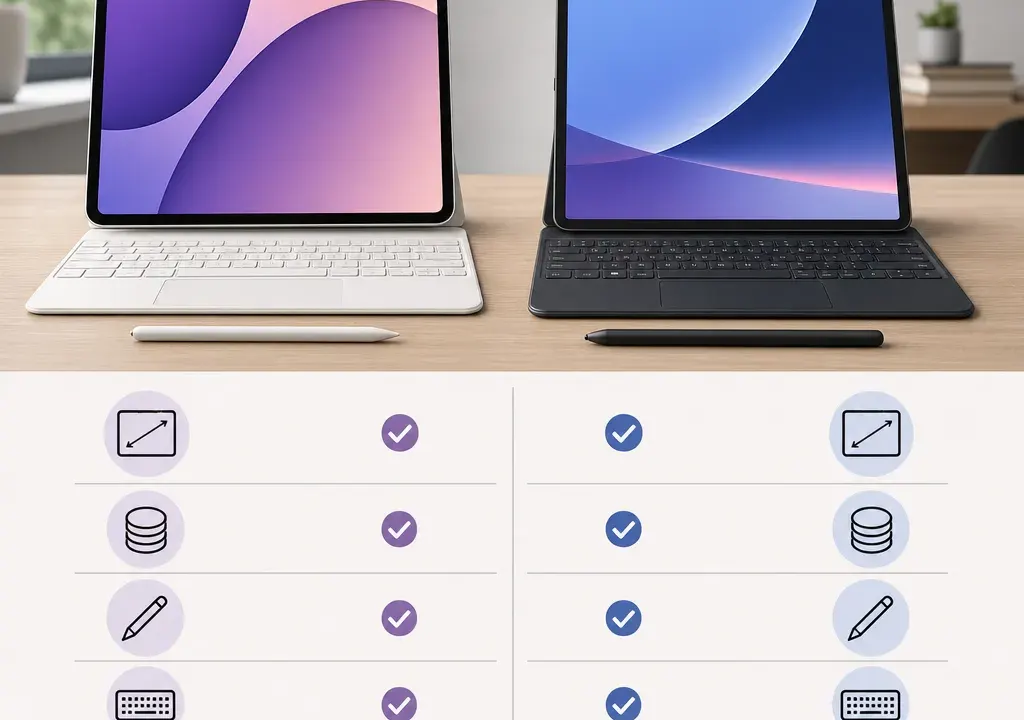
The iPad vs Samsung Galaxy Tab decision is not simply about which brand is better. It is about which tablet fits your apps, accessories, budget and the offers available when you are ready to buy.
In the Tablets category, shoppers will usually find a mix of entry-level, mid-range and more capable models. Current catalogue examples include several Samsung Galaxy Tab options across Wi-Fi, 4G and 5G configurations, with different storage sizes such as 64GB, 128GB and 256GB. Apple iPad availability can vary by retailer and model, so it is worth comparing live stock rather than assuming one range is always better value.
If you already use an iPhone, Mac, Apple Watch or iCloud heavily, an iPad may feel like the natural choice. The appeal is usually convenience: familiar menus, shared purchases, easy photo access and accessories designed around Apple’s tablet range.
If your household is more Android, Windows or Google-based, a Samsung Galaxy Tab may be easier to fit into your existing setup. Galaxy Tab models run Android, which may suit shoppers who want Google services, file flexibility and a choice of models across more price points.
For many buyers, this ecosystem question matters more than a small difference in specification. A tablet that works smoothly with your phone, laptop, cloud storage and headphones is often more useful than one with a slightly better headline feature.
It is tempting to ask whether iPads or Samsung Galaxy Tabs are cheaper, but that can be misleading. Both ranges include different model tiers, storage capacities and connectivity options, so the fairest comparison is like for like.
For everyday browsing, streaming, video calls and children’s homework, compare entry-level iPad models against Samsung’s more affordable Galaxy Tab A-style models. In the current catalogue context, Samsung options include models such as Galaxy Tab A11 and A11+ variants, with Wi-Fi, 4G or 5G depending on the listing.
For more demanding use, compare higher-spec iPad models against Samsung Galaxy Tab S or FE-style models. Catalogue examples include Samsung Galaxy Tab S10 FE and S10 Lite configurations with larger storage options. These are more relevant if you care about multitasking, drawing, note-taking or a more premium screen experience.
The best-value buy is not always the lowest ticket price. Check whether the offer includes the storage you need, whether mobile connectivity is included, and whether you will need to buy a stylus, case or keyboard separately.
Screen size affects comfort more than many shoppers expect. Smaller tablets are easier to hold for reading, travel and children’s use. Larger tablets are better for split-screen work, drawing, streaming and using a keyboard case.
Samsung’s catalogue often includes a broad spread of sizes, from compact rugged or portable models to larger everyday tablets. Current product examples include an 8-inch Samsung Galaxy Tab Active-style model and 10.9-inch Samsung Tab S10 FE-style listing, as well as A-series options. That variety can be useful if you already know the size you want.
With iPad, compare the standard iPad, iPad mini, iPad Air and iPad Pro families where available. A smaller iPad suits portability; a larger iPad makes more sense for creative work, documents and entertainment.
Before choosing, think about where the tablet will live. Sofa and bedside use usually favours comfort and weight. Desk use often favours a larger display, a keyboard accessory and more storage.
Storage is one of the easiest areas to under-buy. A 64GB tablet can be fine for streaming, web browsing, email and light app use, particularly if you use cloud storage. It can feel restrictive if you download lots of films, store games, keep large photo libraries or install creative apps.
Current Samsung Galaxy Tab examples in the catalogue include 64GB, 128GB and 256GB configurations. When comparing against iPad models, look beyond the starting storage and compare the next step up, because the cheapest version of each brand may not be the one you will enjoy using long term.
If the tablet is for a child, shared family use or study, 128GB is often a safer middle ground. For creative work, large downloads or keeping a tablet for several years, higher storage may be worth considering if the live offer is reasonable.
Also check whether the particular model supports expandable storage. Do not assume every Samsung or Apple tablet handles storage in the same way; read the product details for the exact listing before buying.
A tablet can become much more useful with the right accessories, but accessories can also change the total cost. If you want handwritten notes, drawing or document mark-up, compare stylus support carefully. If you plan to use the tablet like a light laptop, check keyboard case compatibility.
iPads have strong appeal for shoppers who want Apple Pencil and keyboard accessory options, but compatibility varies by iPad generation and accessory type. Always match the accessory to the exact iPad model rather than buying by brand name alone.
Samsung Galaxy Tab models may support S Pen or keyboard accessories on selected models, but not every Tab listing includes or supports the same accessories. A higher-spec Galaxy Tab can be a better fit for stylus-led work than a basic model, so check the product page details rather than assuming all Galaxy Tabs are alike.
If you only need a tablet for streaming, browsing and shopping, you may not need premium accessories at all. In that case, a simpler tablet with a decent case may be better value than stretching to a more expensive model.
For most homes, a Wi-Fi tablet is the simplest and best-value option. It is ideal if the tablet will mainly be used at home, at school, in the office or anywhere with reliable Wi-Fi.
A 4G or 5G tablet can be useful for commuting, field work, travel, or families who want a tablet to stay connected away from home. Current Samsung catalogue examples include Galaxy Tab models with 4G and 5G connectivity, alongside Wi-Fi-only versions. When comparing with iPads, make sure you are comparing cellular models with cellular models, not a cellular Samsung against a Wi-Fi iPad or vice versa.
Remember that mobile connectivity may require a separate data plan or SIM arrangement. That ongoing cost can matter more than the initial difference between two tablets, so include it in your decision.
Tablet offers can change quickly, especially when retailers clear older configurations or promote specific storage and colour options. Rather than relying on a single headline discount, compare the final choice across live availability, storage, connectivity, condition and included accessories.
In the current Tablets catalogue, Samsung listings show a wide range of discount signals across A-series, FE, Lite and Active-style models. That does not automatically make every Samsung tablet the best buy, but it does mean shoppers should compare the live deal against the equivalent iPad model available at the time.
Look for practical value signals: the exact model name, generation or year where shown, storage capacity, Wi-Fi or mobile connectivity, accessory support, retailer availability and whether the product listing has clear imagery and specifications.
If two tablets are close in price, choose the one that better fits your long-term use. Saving a little on the wrong storage size, screen size or ecosystem can be a false economy.
Buy an iPad if you already use Apple devices, want a familiar iPadOS experience, value Apple accessory compatibility, or plan to use tablet apps that are central to your work, study or creative routine.
Buy a Samsung Galaxy Tab if you prefer Android, want a wider spread of price and connectivity options, use Google services heavily, or find a stronger live offer on the storage and screen size you need.
For families and everyday entertainment, focus on price, durability, storage and parental controls rather than brand prestige. For students, check keyboard and stylus compatibility. For work, prioritise screen size, multitasking comfort, storage and connectivity.
The right answer is the tablet that matches your real habits and the best available offer in the catalogue, not the brand that wins an abstract debate.
Not automatically. An iPad may suit shoppers already invested in Apple devices, while a Samsung Galaxy Tab may be better for Android users, Google services and a wider choice of configurations. Compare the exact model, storage, screen size and current offer.
Both can work well for students. Check stylus support, keyboard compatibility, storage and app requirements. If course-specific apps favour one operating system, that should guide the decision more than brand alone.
Most shoppers do not need 5G if the tablet will mainly be used on home, school or office Wi-Fi. Consider 4G or 5G if you regularly work, study or stream away from Wi-Fi and are comfortable with any extra data cost.
For light browsing and streaming, lower storage may be enough. For games, downloads, photos, creative apps or shared family use, 128GB or more is often worth comparing. Always check the exact model specification before buying.
They can be, but it depends on the live catalogue. Samsung models often appear across several price tiers and connectivity options, while iPad pricing depends heavily on model, generation and storage. Compare current products and offers side by side before deciding.
The iPad vs Samsung Galaxy Tab choice is best made by comparing real use, not brand loyalty. Start with your ecosystem, then narrow by screen size, storage, accessory support and connectivity.
Once you know the specification you need, compare products and offers in Tablets carefully. The strongest buy is the model that gives you the right features at the best available value when you are ready to order.
