
Loading buyer guide
Hurry, don't miss savings on selected furniture & more.* Shop all offers
A budget-led look at iPad choices, from entry-level everyday use to larger-screen creative setups, with tips on storage, Wi-Fi versus cellular and when a non-Apple tablet may be better value.
Use our barcode scanner to match products instantly to find the best prices, find products with ease using our voice search and build wish lists and your favourites at the click of a button.
Best tablets for drawing and digital art
Digital art tablets vary far more than screen size and storage. For drawing, the key is whether the listing clearly confirms stylus support, pressure-sensitive pen compatibility and enough storage for your apps, brushes and exported artwork.
Tablet screen sizes compared: 8-inch, 10-inch or 12-inch?
Screen size changes how a tablet feels in your hand, how much storage matters, and whether paying extra for sharper resolution or more memory is worthwhile. Here’s how to compare 8-inch, 10-inch and 12-inch Tablets using retailer listings and catalogue specifications, without getting distracted by headline discounts alone.
Best Android tablets for everyday use
Everyday tablet shopping is less about chasing the highest specification and more about matching screen size, storage, RAM, software ecosystem and connectivity to how you actually use it. Here’s how to compare Android tablets and close alternatives in the Tablets range without overpaying for features you may not need.
Best tablets with a stylus
Stylus-friendly tablets can look similar on paper, but the buying decision often comes down to the pen itself: whether it is supported, included, comfortable to use and matched to the screen size you actually need.
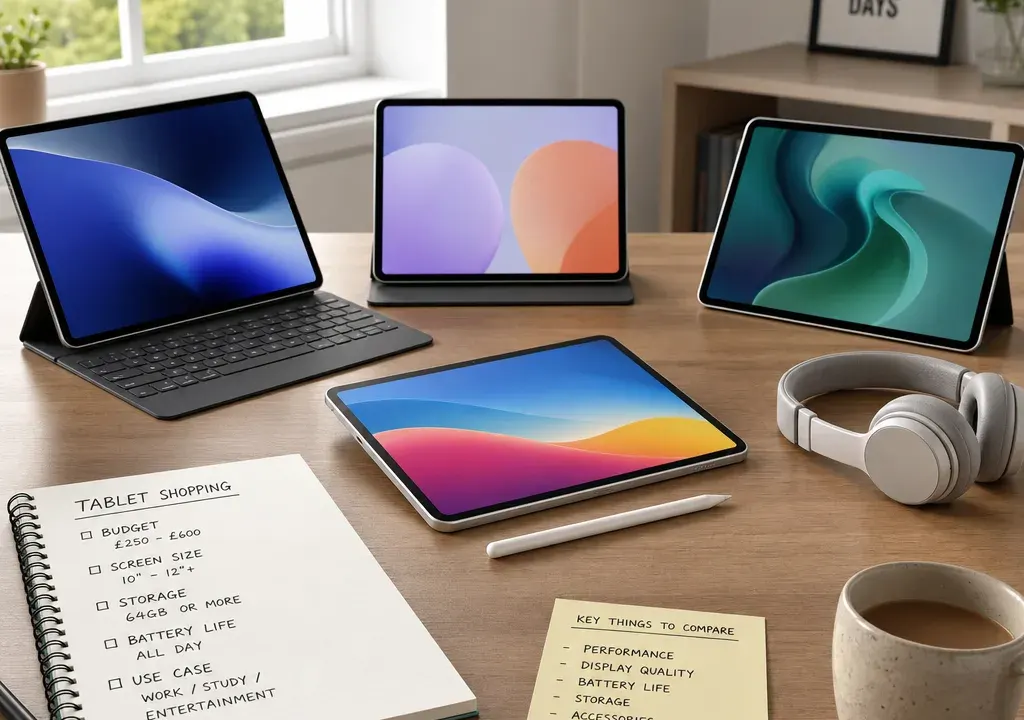
The best iPad for your budget is not always the newest, largest or most powerful option. For many shoppers, the right choice comes down to a few practical questions: how portable does it need to be, how much storage will you really use, do you need mobile data, and are you planning to add a keyboard or stylus?
It is also worth comparing iPads against the wider Tablets market before you buy. Current catalogue examples often show lower-priced alternatives such as Amazon Fire, Lenovo Tab and Samsung Galaxy Tab models, which can be useful value benchmarks if your main needs are streaming, browsing, reading or family use rather than Apple-specific apps and accessories.
A sensible iPad comparison starts with what you need it to do, not with the highest specification you can afford. If your use is mainly web browsing, video calls, streaming, recipes, shopping and note-taking, an entry-level iPad may be enough. If you want a more compact tablet for travel, commuting or reading, the smaller iPad option may be more appealing. If you want a larger display for multitasking, creative apps or using a keyboard, an iPad Air or iPad Pro-style choice may make more sense.
The main budget trap is paying for capability you will not use. A larger screen, extra storage, cellular connectivity and compatible accessories can all increase the overall spend. When comparing offers, look at the full basket rather than the tablet alone. A case, keyboard, stylus, charger or extra cloud storage subscription may change which option is best value for you.
If you are flexible on brand, compare iPad options with other Tablets too. In the supplied comparison set, Amazon Fire HD 8 models appear at lower headline prices than many premium tablets, while Samsung Galaxy Tab and Lenovo Tab models cover larger screens, 4G or 5G options and higher storage capacities. They are not iPads, but they help show what else your budget might buy.
For the lowest iPad spend, look first at the standard iPad line and pay close attention to storage. A smaller storage configuration can keep the initial price down, but it is only a good saving if your use is light. Streaming films, using cloud services, browsing the web and occasional app use are all easier to manage on modest storage than keeping lots of downloaded video, games or large creative files on the device.
If the iPad is for a child, shared family use or casual entertainment, consider whether you truly need iPadOS. The wider Tablets category often includes budget-friendly alternatives. For example, the supplied product candidates include Amazon Fire HD 8 tablets with 32GB or 64GB storage and an 8-inch screen. Those details may suit simple media and reading needs, but they sit in a different app and accessory ecosystem from an iPad.
The key decision is not simply “cheapest tablet”. It is whether you need Apple services, iMessage and FaceTime continuity, iPad-specific apps, or Apple accessory compatibility. If those matter, stay within the iPad range and compare configurations. If they do not, broaden your comparison.
For school, university or general productivity, the sweet spot is usually a model that balances screen size, storage and accessory support. A larger display is more comfortable for split-screen work, reading documents and using a keyboard, but it can make the device less convenient to carry every day.
Storage matters more for students who download lecture recordings, keep large PDFs, edit photos or use creative apps. If most work is cloud-based, you may be able to prioritise screen size and accessory compatibility over the highest storage tier. If you often work offline, a larger storage configuration may be worth comparing, especially when retailers are discounting certain versions.
Before buying, check which keyboard cases and styluses are compatible with the exact iPad generation you are considering. Accessory compatibility varies, and a tempting tablet deal can become less attractive if the accessories you want are expensive, unavailable or not supported.
For drawing, design, photo editing and video work, the best iPad for your budget is usually the one that gives you the display size and accessory support you need without forcing you into unnecessary upgrades. A larger screen can make sketching, timelines and tool panels easier to manage, while a smaller tablet may feel cramped for longer creative sessions.
If you plan to use a stylus, do not assume every iPad works with the same one. Check the exact stylus generation and charging method before comparing offers. The same applies to keyboard cases and trackpad accessories. A model that looks affordable on its own may not be the best buy once the right accessories are added.
Creative buyers should also be cautious with storage. Project files, downloaded assets and high-resolution media can fill a device quickly. If you regularly edit or store files locally, compare higher storage configurations rather than relying only on the lowest entry price.
For travel, commuting and reading, portability often matters more than maximum performance. A smaller iPad is easier to hold for long periods, pack into a small bag and use on a train or plane. The trade-off is less screen space for multitasking, typing and detailed creative work.
Connectivity is the other major travel decision. A Wi-Fi-only iPad is usually cheaper than a cellular-capable version and is suitable if you mainly use home, work, hotel or hotspot connections. A cellular model can be more convenient if you travel regularly, work away from Wi-Fi or want a tablet that is more independent from your phone. Remember to factor in any mobile data plan costs when judging value.
The wider Tablets comparison set also shows why connectivity should be checked carefully. Some non-Apple tablets are listed as Wi-Fi, while others include 4G or 5G in the product title. The same kind of attention is useful when comparing iPad configurations: do not assume two similar-looking offers have the same connectivity.
Screen size is one of the clearest ways to narrow your iPad shortlist. A smaller screen is best for one-handed reading, travel and children. A standard-sized iPad is a good all-rounder for streaming, browsing, video calls and light work. A larger display is better for multitasking, keyboard use, drawing and media editing.
Do not judge screen size in isolation. Think about where the tablet will live. A large iPad can feel excellent on a desk or sofa but less convenient on a crowded commute. A compact iPad can be comfortable to hold, but you may miss the extra space if you regularly work with documents, spreadsheets or creative apps.
If you are comparing iPads with other Tablets, use screen size as a practical benchmark. The supplied candidates include compact 8-inch options as well as larger tablets such as an 11-inch Lenovo Tab M11 and Samsung Galaxy Tab models. Those examples are useful reminders that two tablets at different prices may also be designed for very different use cases.
Storage upgrades can be one of the easiest ways to overspend, but too little storage can be frustrating. Light users who stream content, browse online and use a small number of apps may be comfortable with a lower storage configuration. Heavier users should compare larger capacities, especially if they download films, install games, store photos and videos, or work with large files.
For a shared family iPad, storage can disappear faster than expected because multiple people may add apps, downloads and media. For work or study, consider whether you need files available offline. If your iPad will be your main device rather than a secondary screen, storage deserves more of the budget.
When comparing offers, make sure you are comparing like with like. A cheaper iPad with less storage may not be better value than a slightly more expensive configuration if it will meet your needs for longer.
Wi-Fi-only is the simpler choice for many buyers. It can suit home entertainment, sofa browsing, schoolwork, recipes in the kitchen and travel where you are happy to use Wi-Fi or a phone hotspot. It also keeps the tablet purchase more straightforward because there is no separate tablet data plan to consider.
Cellular is worth comparing if the iPad will be used for commuting, field work, frequent travel, business trips or as a laptop alternative away from home. The convenience can be significant, but only if you will use it often enough to justify the extra cost of the device and any ongoing data arrangement.
Check the product title and specification carefully before buying. Retail listings can look similar while differing in connectivity, storage or generation, and those differences can explain price gaps.
Retailer availability can change which iPad is best for your budget. One shop may have a stronger offer on a lower-storage model, while another may be more competitive on a higher-storage or cellular configuration. That is why it is worth comparing products and offers across the Tablets category rather than stopping at the first appealing price.
Do not rely only on a discount percentage. A high displayed saving can be useful, but the more important question is whether the final configuration suits you. Check the model, storage, connectivity, colour, included accessories and retailer availability before deciding.
The supplied product candidates show how varied tablet offers can be across retailers, with different brands, storage capacities and connectivity options appearing at different price points. Use that same comparison mindset for iPads: match the exact model to your needs first, then choose the strongest available offer.
For casual browsing and streaming, choose the most affordable iPad configuration that gives you enough storage and a comfortable screen. If Apple features are not essential, compare budget Tablets too.
For students, prioritise a comfortable screen, reliable storage and the accessories you will actually use. A keyboard or stylus can matter more than a small specification upgrade.
For artists and creators, compare larger screens, stylus compatibility and higher storage. Check accessory compatibility before you buy, not after.
For travel, consider a smaller iPad or a lightweight standard model. Choose cellular only if you will use mobile data regularly enough to justify the added cost.
For families, think about storage, durability accessories and ease of sharing. A cheaper tablet may be enough for entertainment, but an iPad may be preferable if your household already uses Apple services.
For many shoppers, the best value iPad is the one that balances a comfortable screen, enough storage and the accessories they need without moving into premium features they will rarely use. Compare the standard iPad and iPad Air-style options first, then decide whether screen size, storage or accessory support justifies spending more.
Not necessarily. The cheapest iPad can be a good buy for light use, but it may be the wrong choice if you need more storage, cellular connectivity or specific accessory compatibility. Compare the total cost of the tablet and accessories before deciding.
Choose Wi-Fi if you mainly use the tablet at home, work, school or anywhere with reliable wireless access. Consider cellular if you travel often, commute, work away from Wi-Fi or want the iPad to stay connected without relying on your phone hotspot.
Light users can often manage with a lower storage configuration, especially if they stream content and use cloud services. Choose more storage if you download films, play large games, store lots of photos and videos, work offline or use the iPad as your main device.
Yes, especially if your budget is tight or your needs are simple. Other Tablets from brands such as Amazon, Lenovo and Samsung can provide useful price and specification benchmarks. If you need Apple apps, services or accessories, stay focused on iPad configurations.
The best iPad for your budget is the one that fits your real routine: the right screen size, enough storage, the correct connectivity and compatible accessories at a sensible overall cost. Start with how you will use it, then compare the exact configurations available from retailers.
If an iPad is essential, focus on model, storage and accessory support before looking at offers. If you are more flexible, compare the wider Tablets range as well. That broader view can make it much easier to see whether you are paying for features you need or simply being tempted by a deal.
