Hurry, don't miss savings on selected furniture & more.* Shop all offers
97 Products
Screen Mounts: Your essential buying guide
Start with the screen size and the weight of your TV or monitor, then check the mount’s supported VESA pattern. It is also worth thinking about where the screen will sit, how much tilt or swivel you need, and whether you want a fixed, tilting or full-motion design.
Look at the size range, maximum weight load and VESA compatibility in the product details. The VESA pattern is the spacing of the mounting holes on the back of your screen, so matching that to the mount is essential for a proper fit.
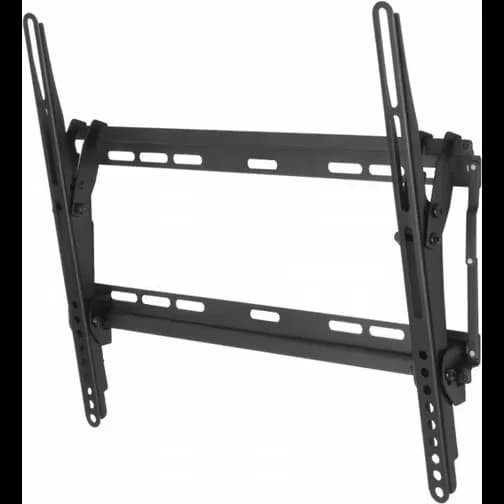
Fixed mounts hold the screen close to the wall in a set position. Tilting mounts let you angle the screen up or down to reduce glare or improve viewing height. Full-motion mounts usually offer the greatest flexibility, letting you pull the screen out, swivel it and adjust the angle.
Yes, many screen mounts are suitable for both TVs and monitors, provided the size, weight and VESA measurements match. For desk or workspace use, it is also helpful to consider arm reach, cable access and how much adjustment you want during the day.
Think about wall type, viewing position and cable management. In smaller rooms, a low-profile fixed mount can help save space, while a swivel or full-motion mount may suit seating areas where you need more flexible viewing angles.
Showing 50 of 97
The right screen mount can make a big difference to how your TV or monitor looks, fits and performs in your space. Whether you want a neat wall-mounted setup or more flexible positioning, it helps to choose a mount that suits your screen, your room and the way you watch or work.
Start with the basics: screen size, weight and VESA compatibility. These details are the quickest way to narrow down the right options and avoid picking a mount that does not match your display.
If you are unsure, check the back of the screen or the manufacturer’s specifications for the mounting hole pattern and weight requirements before comparing products.
Fixed mounts are a good choice when you want a clean, low-profile look and do not need to move the screen once it is in place. They keep the display close to the wall and can suit living rooms, bedrooms and tidy media setups.
Tilting mounts are useful if the screen sits a little higher than eye level or if glare is an issue. Full-motion designs offer more flexibility for changing viewing angles, which can be helpful in multi-use rooms or shared spaces.
Consider where people will sit or stand in relation to the screen. The best position is the one that gives a comfortable viewing angle without forcing you to crane your neck or deal with distracting reflections.
Also think about wall space, nearby furniture and how much room you have around the screen. A mount should work with your layout, not just with the display itself.
Cable management can help keep the area looking neat, especially if the screen is part of a visible living space. Some mounts also make it easier to access ports or adjust the screen after fitting.
Before you buy, check that the mount is suitable for your wall type and that you have the right fixings and tools for installation. A secure, well-matched fit matters as much as the style of the mount.
For everyday TV viewing, a simple fixed or tilting mount may be all you need. For a home office, games room or family space, extra movement can make it easier to adapt the screen to different activities.
Choosing with the main use in mind helps you avoid overbuying features you will not need, while still getting the flexibility that matters most.
Use our barcode scanner to match products instantly to find the best prices, find products with ease using our voice search and build wish lists and your favourites at the click of a button.