Hurry, don't miss savings on selected furniture & more.* Shop all offers
363 Products
Computer Storage: Your essential buying guide
Start with the device you want to use it with, then think about capacity, portability and how often you need to access the files. Some shoppers want removable storage for sharing and transfer, while others prefer a more permanent way to store larger libraries or backups.
Check the connection type, physical fit and supported format for your device before comparing options. For example, portable drives, flash storage and internal-style solutions each suit different setups, so it helps to match the storage to the way your device is used.
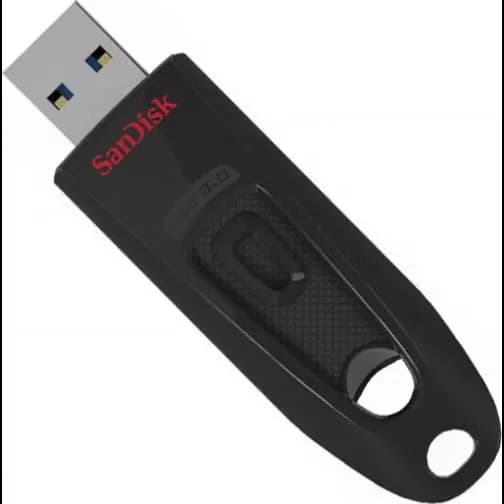
Flash storage is typically compact and easy to carry, making it useful for quick file transfer and portable use. Hard drive options are often chosen when shoppers want more traditional storage for larger amounts of data or backup needs.
An external enclosure is useful when you want to turn a compatible drive into a more accessible external solution. It can help shoppers make use of existing hardware while choosing a setup that suits their workspace or storage routine.
Optical drives remain useful for shoppers who still need to read or write discs for media, archives or older software. They are a practical choice if disc access still matters to your setup.






Samsung EVO Plus microSDXC Class10 UHS-I U3 V30 A2 160/120MB/s 128GB +SD adapter
SamsungShowing 50 of 363
The best computer storage depends on what you want to store, where you want to use it and how often you need to move files around. This category is a good starting point for comparing everyday storage formats and narrowing down the right fit for your device. Use the child categories to focus your search by storage type. That makes it easier to compare portable options, expansion-friendly choices and more fixed storage solutions without scrolling through products that do not suit your setup.
If you need storage for transferring files between devices, a portable option may make the most sense. If your main aim is to keep a larger collection of data in one place, you may prefer a more permanent storage format.
Think about whether the storage is for documents, photos, music, backups or device expansion. Different uses place different demands on capacity, convenience and access speed.
Compatibility matters just as much as capacity. Before buying, make sure the storage option fits the device or setup you already have, whether that is a laptop, desktop or another compatible system.
If you are working with a drive or component you already own, an external enclosure may be a practical way to give it a new purpose. If you mainly need simple removable storage, memory cards and USB flash drives are often the easiest place to start.
Some shoppers still need a way to read or write discs for media, archiving or legacy software. If that applies to you, optical drives can remain a useful part of the comparison. If disc use is no longer relevant, you may find it more convenient to focus on modern portable storage or hard drive options instead.
If your files are growing quickly, compare options with enough space for current needs plus a bit of room for future use. That can be especially helpful for photo libraries, media files and regular backups.
For smaller everyday transfers, a compact storage option may be enough. For larger collections or long-term storage, a different format may be better suited to your workflow.
Use our barcode scanner to match products instantly to find the best prices, find products with ease using our voice search and build wish lists and your favourites at the click of a button.